Whering: AI outfit ideas from clothes you own
Whering turns photos of your clothes into a digital wardrobe. Its official site describes AI outfit suggestions alongside tools for planning looks and packing. The app is free to download, but some styling features have in-app purchases.
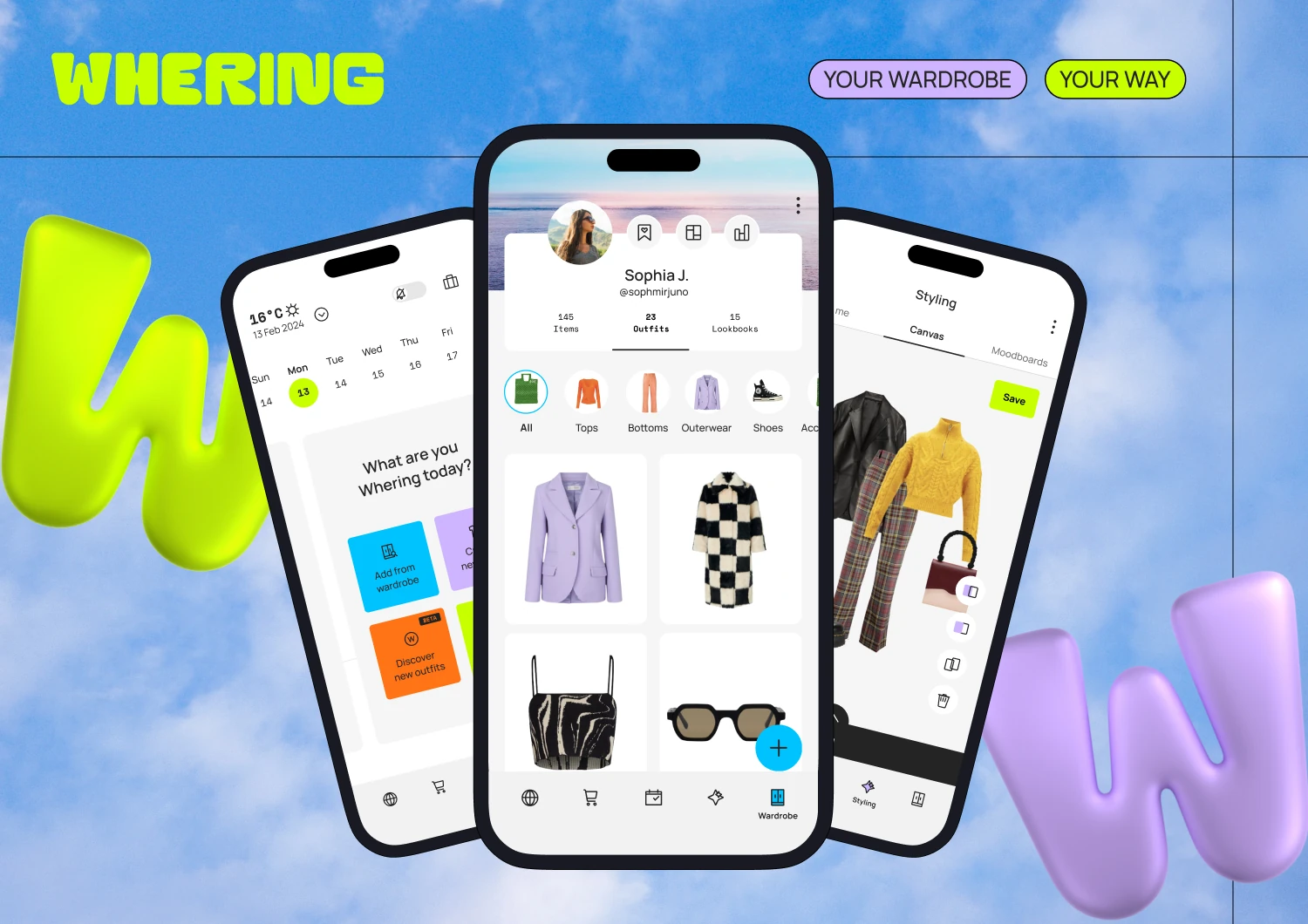
Official publisher artwork hosted by its publisher. Official source. Independent guide, not affiliated or sponsored. Artwork and trademarks belong to their owners.
What is Whering?
Whering is a wardrobe organiser and styling app. Add pictures of clothes you already own, then combine them into outfits, save looks and plan when to wear them. You can photograph an item, use an existing product image or find an item in its database. Whering says it removes the background from uploaded clothing photos.
Its official introduction calls W Pick an AI-generated outfit suggester. Its help page says suggestions use the clothes in your digital wardrobe, personal style and weather forecast. Dress Me is a separate shuffle tool for trying combinations. We did not verify the current free allowance for every AI styling feature.
How it might fit life in Kerala and India
As an editorial suggestion, start with a few everyday outfits for college, work or a short trip. You could use the planner to organise combinations before packing rather than buying another item because you forgot what you own.
We verified Whering's live India App Store listing and free download. We did not test Android installation in India, Malayalam support, sari or mundu styling quality, or local weather accuracy. A suggested combination is not evidence that the app understands every dress code or Indian garment.
Start with a small wardrobe, step by step
- Use the official Whering website or your phone's app store to find Whering. Confirm the developer is Whering Ltd.
- Open the app and complete the setup prompts. Before adding personal photos, check the privacy settings described below.
- Add a few clothes you already own. Photograph one item at a time or add the retailer's image if you have permission to use it.
- Check that the item image looks right after background removal.
- Try Dress Me to shuffle combinations. You can pin a specific item if you want ideas built around it.
- For suggested outfits, the official help page directs you to Planner, then Discover new outfits. If your version asks for a Style Pass or purchase, read the price and conditions before continuing.
- Save a combination you like and schedule it in Planner. Use a packing list if you are organising a trip.
These steps follow Whering's official introduction and help pages. Names and access may vary by app version. We did not create an account or test suggestions hands-on.
Free, paid and India availability
| Free verdict | Whering's website says wardrobe management and styling are free. Its India App Store listing confirms a free download with in-app purchases. |
|---|---|
| Paid caution | The current app description mentions a Style Pass for Outfit Maker. The India listing includes an Outfit Maker purchase. Therefore, this guide does not claim that all AI suggestions or styling tools are unlimited and free. |
| Price | We did not verify a universal price, purchase duration or entitlement for Style Pass. Check the current INR amount shown inside your app before buying. |
| India | India iPhone listing verified. Android India installation and region-specific AI feature access were not tested. |
| Not tested | Styling accuracy, Malayalam support, handling of Indian clothing, savings and weather suitability. |
There is a mismatch worth noting: Whering's short FAQ calls the service completely free, while the current India app listing advertises in-app purchases. We use the narrower verdict: free download and core wardrobe tools, with paid extras possible.
Check your profile privacy
Whering has social wardrobe features. Do not assume your profile and items are private just because you use the app only for yourself.
- Open the menu with the black dots at the top right.
- Choose Settings, then Password & Privacy.
- Go to Privacy, then Profile, and choose your desired privacy setting.
Whering says a private profile hides your profile photo, bio, items, outfits and lookbooks. Check the setting in your own version. Use clothing-only photos when possible so you do not upload faces, addresses or private household details in the background.
Frequently asked questions
Do I have to buy new clothes?
No. The wardrobe and outfit tools are designed around clothes you add, including items you already own.
Is every styling feature free?
Do not assume that. The official site promotes free wardrobe use, but the current app listing includes paid extras and a Style Pass.
Does it use AI?
Whering's official introduction describes W Pick as an AI-generated outfit suggester. Its help page says the suggestions consider your wardrobe, style and weather.
Can I make my profile private?
Yes. Whering documents a profile privacy setting under Settings, Password & Privacy.
Will it style Indian clothes well?
We did not verify that. Test a small selection before photographing your whole wardrobe.
Sources: Official homepage, Official AI introduction, Outfit steps, Suggestions, Free FAQ, Profile privacy, India App Store. Checked 7 October 2026.