
Syncthing: keep folders in sync between your own devices
Syncthing syncs folders between your own devices. Its site says no central server holds your data. No official page says free or lists a price.
See the interface
What it is
Syncthing keeps folders in step across your own devices. The Syncthing website describes it as "a continuous file synchronization program" that "synchronizes files between two or more computers in real time, safely protected from prying eyes". You pick folders, link your devices, and a change on one shows up on the others. It is not an AI tool.
Is it free?
No page we read uses the word "free" or shows a price. What the official sources do say: it is open source, and the project's GitHub page lists the MPL-2.0 license. We saw no sign-up, account or paid tier. Syncthing has no company cloud: the site says "None of your data is ever stored anywhere else other than on your computers", with "no central server". Kastelo Inc. is named on the homepage as providing commercial support, which we did not look into.
What it does, per Syncthing
- Syncs folders between your devices over your home network or the internet. Each device has an ID, and you only share with devices you approve.
- Encrypted: the site says all communication is secured with TLS, and each device is identified by a cryptographic certificate.
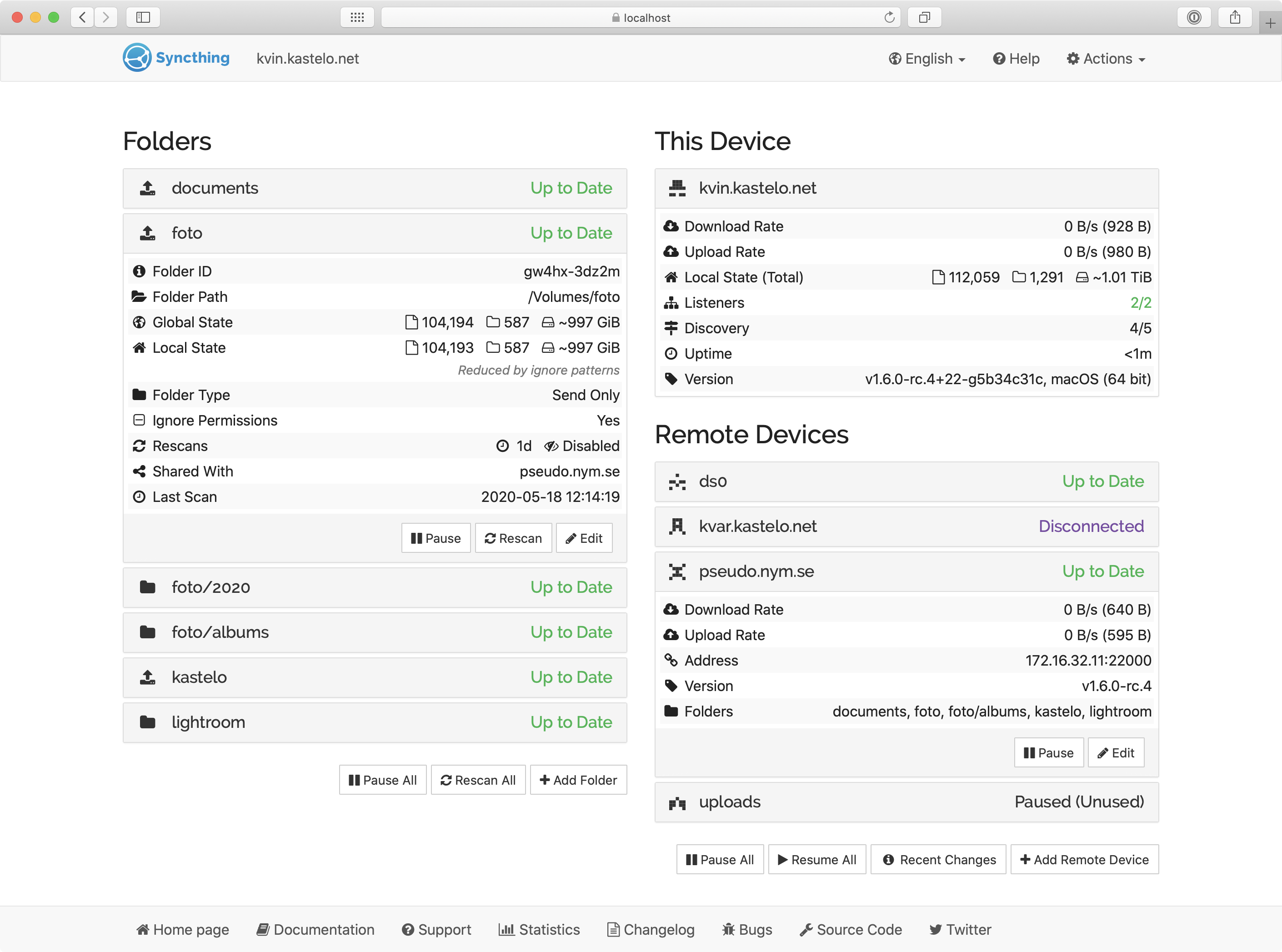
- Works in a browser: you set it up and watch it in a web page on your own computer.
- Platforms: the downloads page lists Windows, macOS, Linux, FreeBSD and others. Latest version we saw is 2.1.6, published 6 October 2026 on GitHub.
How to start
- Go to the downloads page. For a normal computer, the page says to use the "Intel/AMD (64-bit)" build for your system.
- The same page lists friendlier add-ons for new users: a Windows installer, SyncTrayzor v2 and a macOS app. Those are listed as integrations, not the base program.
- The Getting Started guide says that on first start Syncthing opens its screen in your browser. You then add the other device by its ID and share a folder.
What to watch out for
- It is not a backup. Syncthing's FAQ says it is "not a great backup application" because deletions and changes spread to all your devices. Our advice: keep a separate backup.
- Phones: the Android app that Syncthing used to run is listed as archived on 3 December 2024. The docs list community apps instead, Syncthing-Fork and BasicSync. The official FAQ now links to a community iOS app and says the Syncthing team has no plans to support iOS officially. Its community list includes Synctrain for iOS, iPadOS and macOS. These are third-party apps, not official Syncthing mobile clients; check their own pricing and limits.
- Some setup: the guide uses a command line to explain it, though it says double-clicking works on most desktops. We did not install it, so we cannot say how easy it is.
Privacy and data
- Per the docs, global discovery is on by default. Your device sends its ID and port to discovery servers so your devices can find each other. The docs say whoever runs the discovery server could work out which devices connect to each other. You can turn it off, but then devices not on the same network may not find each other.
- Relays are also on by default, used only when two devices cannot connect directly. The docs say relayed data is still end-to-end encrypted.
India
- We saw no region limit. We did not test downloads from India. We quote no INR price because we saw no price.
Media and selected guidance rechecked 22 October 2026: homepage, downloads, FAQ, security, relaying, getting-started and community-contribution pages. The iOS wording has been corrected. Other details retain their original check date. We did not install or run Syncthing.
Frequently asked questions
Is Syncthing free?
No official page says "free" or lists a price. It is open source under MPL-2.0, per GitHub.
Does my data go to a company server?
The site says no central server stores your data. Discovery servers and relays exist, as described above.
Can I use it as a backup?
Syncthing's FAQ says no, it is not a great backup tool.
Sources: Syncthing, Downloads, FAQ, Security, Relaying, Getting started, Community contributions, GitHub. Checked 19 October 2026.
Independent guide, not affiliated.