
Shruti: free Hindi and Hinglish speech-to-text that runs in your browser
Shruti is a speech-to-text model for Hindi, English and a mix of the two, from a small Indian lab called Udgam Labs. Its page lets you try it free, with no login, and says the model runs inside your browser tab instead of on a server. We tried it with two audio clips on 26 October 2026. The Hindi clip came out exact. The Hinglish clip lost the first half of the sentence.
Quick facts
- The demo is on udgamlabs.com/models/shruti and is labelled "free, no login". We used it without an account.
- Press "Load Shruti" once. The page downloads a 29.5 MB model file from Hugging Face and, per Udgam Labs, keeps it in your browser. After that it says transcription happens on your device and works offline.
- Udgam Labs says "audio never leaves your device". That is the developer's claim. We did not inspect network traffic, so we cannot confirm it.
- It writes Hindi in Devanagari and keeps English words in English, the way people type Hinglish. Udgam Labs' example: "मेरा order कब आएगा".
- The model is open: Hugging Face lists the licence as Apache-2.0. It is built on Cactus Whistle, an open speech model from Cactus Compute.
- Udgam Labs says it is weaker than other models on pure Hindi and on English. It lists its own limits, shown below.
- We tested file upload only, using machine-generated speech. We did not test a live microphone or a real person's voice.
Why try it over a voice assistant
ChatGPT and Gemini can already transcribe speech, but they work through their servers. Shruti's pitch is different: a small model that runs on your own phone or laptop, with no sign-in. The other pitch is the mix. Most people in India switch between Hindi and English in one sentence, and Shruti is trained to write that mix without forcing everything into one script. If you dictate notes in Hinglish and want to keep them on your device, this is worth five minutes.
Our test
We loaded the demo page in a browser on 26 October 2026 and pressed "Load Shruti". The page switched to "Running on your device, works offline" and showed a Record button. We then used the "transcribe an audio file" option. Because we cannot speak into a microphone from our test setup, we made two short clips with Google's text-to-speech and uploaded them. This is machine-made audio, which is usually cleaner than a real voice, so treat the results as a first look.
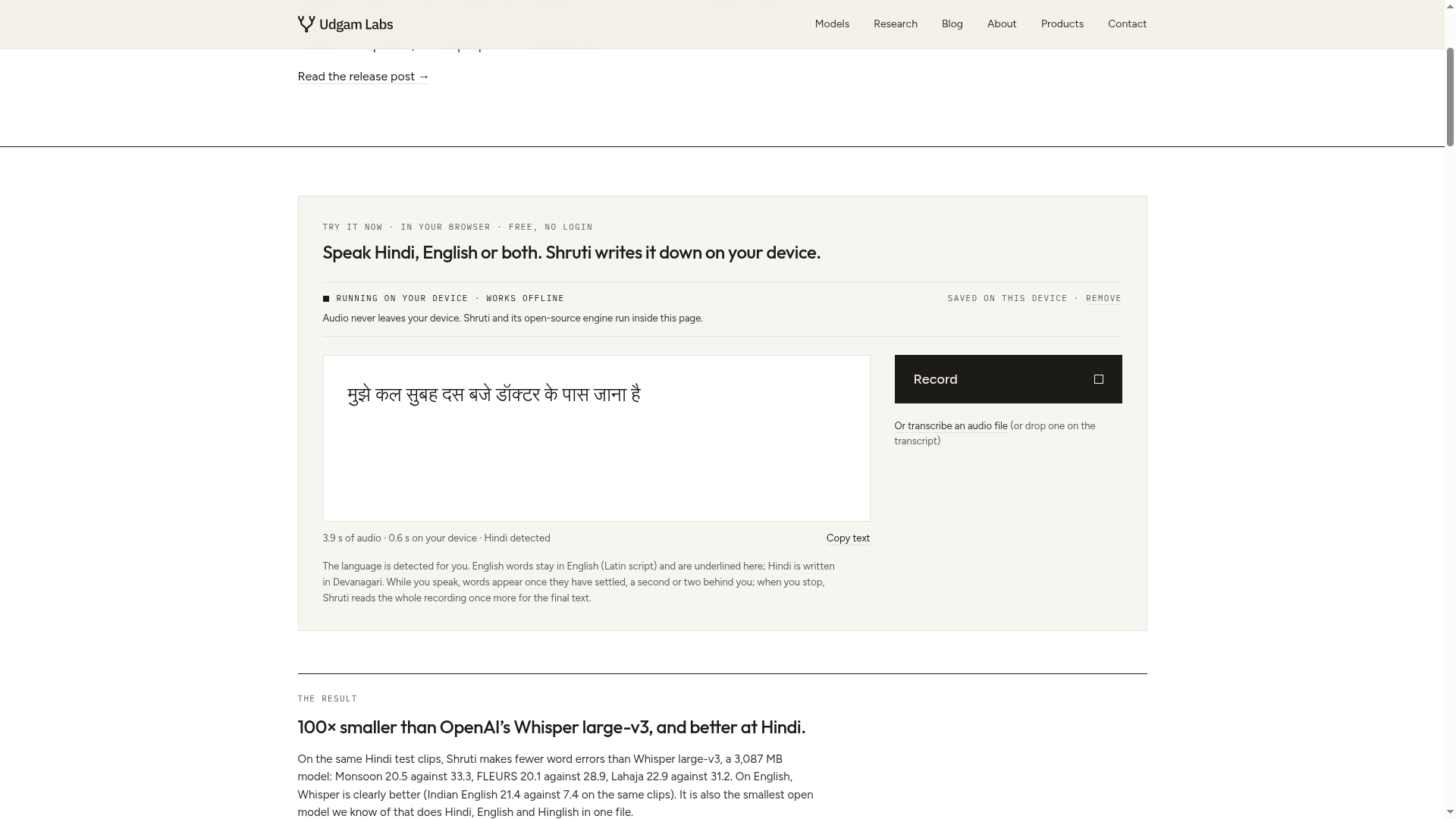
- Hindi clip, 3.9 seconds. The sentence was "मुझे कल सुबह दस बजे डॉक्टर के पास जाना है". Shruti returned the same words. The page showed 0.6 seconds on device and "Hindi detected".
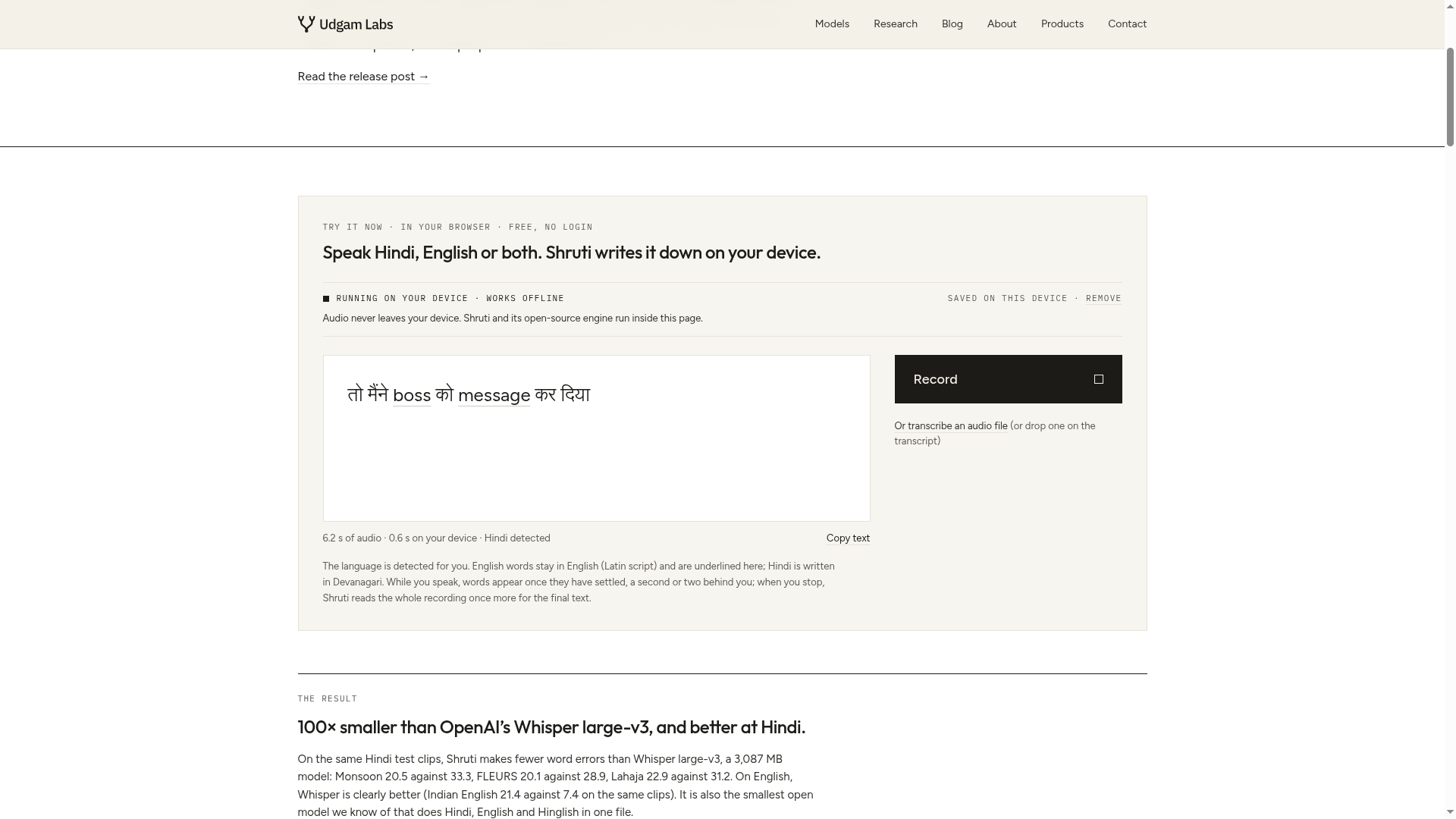
- Hinglish clip, 6.2 seconds. The sentence was "आज office जाते वक़्त traffic बहुत ज़्यादा था, तो मैंने boss को message कर दिया". Shruti returned only "तो मैंने boss को message कर दिया". The first half, "आज office जाते वक़्त traffic बहुत ज़्यादा था", was missing. The English words it did return were kept in English and underlined. We do not know why the first half dropped, and we ran only this one Hinglish clip, so we cannot say how often it happens.
What Udgam Labs says about accuracy
These are the developer's own measurements, not ours. In the release post it reports lower word error rates than OpenAI's Whisper large-v3 on Hindi test sets (for example 20.46 against 33.29 on Monsoon Hindi), a roughly 100 times smaller file, and the fewest errors among the open models it compared on Hinglish lecture audio (35.21 percent on MUCS 2021). The same post says Whisper large-v3 is far better on Indian English (7.39 against 21.35 on Svarah). It also says Hindi-only models about 16 times larger are clearly more accurate on pure Hindi, that names it has not heard are spelled by sound, that audio played from a speaker across a desk was often taken for English, and that noise, music and punctuation were not handled or tested. Our single Hinglish miss is not covered by these numbers.
How to try it
- Open udgamlabs.com/models/shruti in a current browser. Use Wi-Fi for the first load, since it downloads 29.5 MB.
- Press "Load Shruti" and wait for "Running on your device".
- Press Record and speak, or choose "transcribe an audio file". The page says to speak close to the device.
- Use "Copy text" to take the result. Check it before you rely on it.
Udgam Labs says the page was checked in Chrome on an Android phone, Chrome on a Mac and Safari on an iPhone simulator, and that it had not tested the iPhone microphone. We tested in one desktop browser. The page states no country restriction that we could find, and we did not test from India.
Before you rely on it
Treat it as an early tool from a small lab, released on 19 October 2026. Do not use it for anything where a dropped sentence matters, such as medical or legal notes, without reading the output. Read Udgam Labs' privacy statement for any service you use alongside it. The privacy policy on udgamlabs.com covers its other products and does not mention Shruti, so we rely only on the on-page statement above.
Sources checked 26 October 2026: