Semantic Scholar: free paper search with one-line AI summaries
Searching for research papers usually means a pile of titles and abstracts. Semantic Scholar is a free paper search that adds a one-sentence AI summary under many results, plus citation counts and ready-made citations. We tested it signed out on 25 October 2026 and checked where the summaries stop.
Quick facts
- Semantic Scholar says it provides "free, AI-driven search and discovery tools" and indexes over 200 million academic papers. It is built by a team within Ai2, the Allen Institute for AI.
- Many results carry a "TLDR": an AI-generated one-sentence summary. Per Semantic Scholar's FAQ, TLDRs are currently limited to computer science and biomedical papers.
- In our test, search, sort and the Cite pop-up worked with no account. Its pages say a free account adds a saved library, Research Feeds and email alerts. We did not test those.
- Cite offers BibTeX, MLA, APA and Chicago formats, per Semantic Scholar's product page. We opened the pop-up and saw BibTeX, MLA, APA and Chicago tabs.
- Its FAQ says there is no smartphone app; the website is designed for desktop and mobile browsers.
- We did not find any India-specific availability statement. We tested from a cloud browser, which does not show how it behaves for you in India.

What it does differently from a chatbot
A chatbot gives you one written answer. Semantic Scholar gives you a list of individual papers. Each result is a paper you can open, with its authors, venue, date, a link to the PDF or publisher, a citation count and a Cite button. The TLDR is only a signpost to help you decide which paper to open. The paper itself is still the source. Its product page also describes "Highly Influential Citations" on paper pages; we did not test that. We did not compare it with Google Scholar.
Our test: a health question
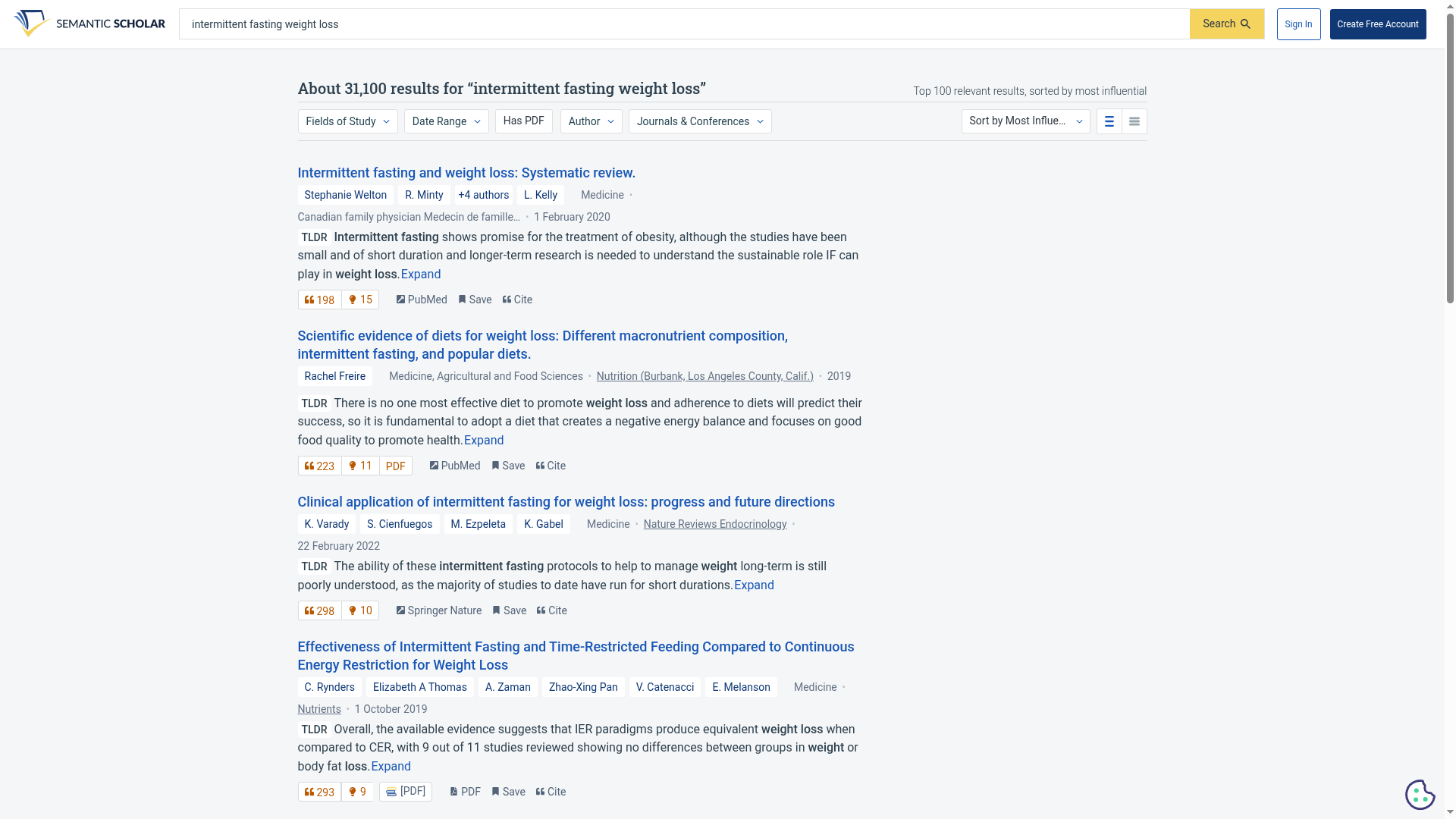
We searched "intermittent fasting weight loss" and chose "Sort by Most Influential Papers". The page reported about 31,100 results, and said the sort covers the top 100 relevant ones. The first result was a 2020 systematic review. Its TLDR read: "Intermittent fasting shows promise for the treatment of obesity, although the studies have been small and of short duration and longer-term research is needed". That is a sentence you can read in seconds, then open the paper to check. We did not judge the quality of any paper, and a TLDR is not medical advice.
We also searched "attention is all you need" with the default sort. The first result was the 2017 Transformer paper, with a TLDR and a citation count of 198,409 on the day we looked.
Cite a paper in one click
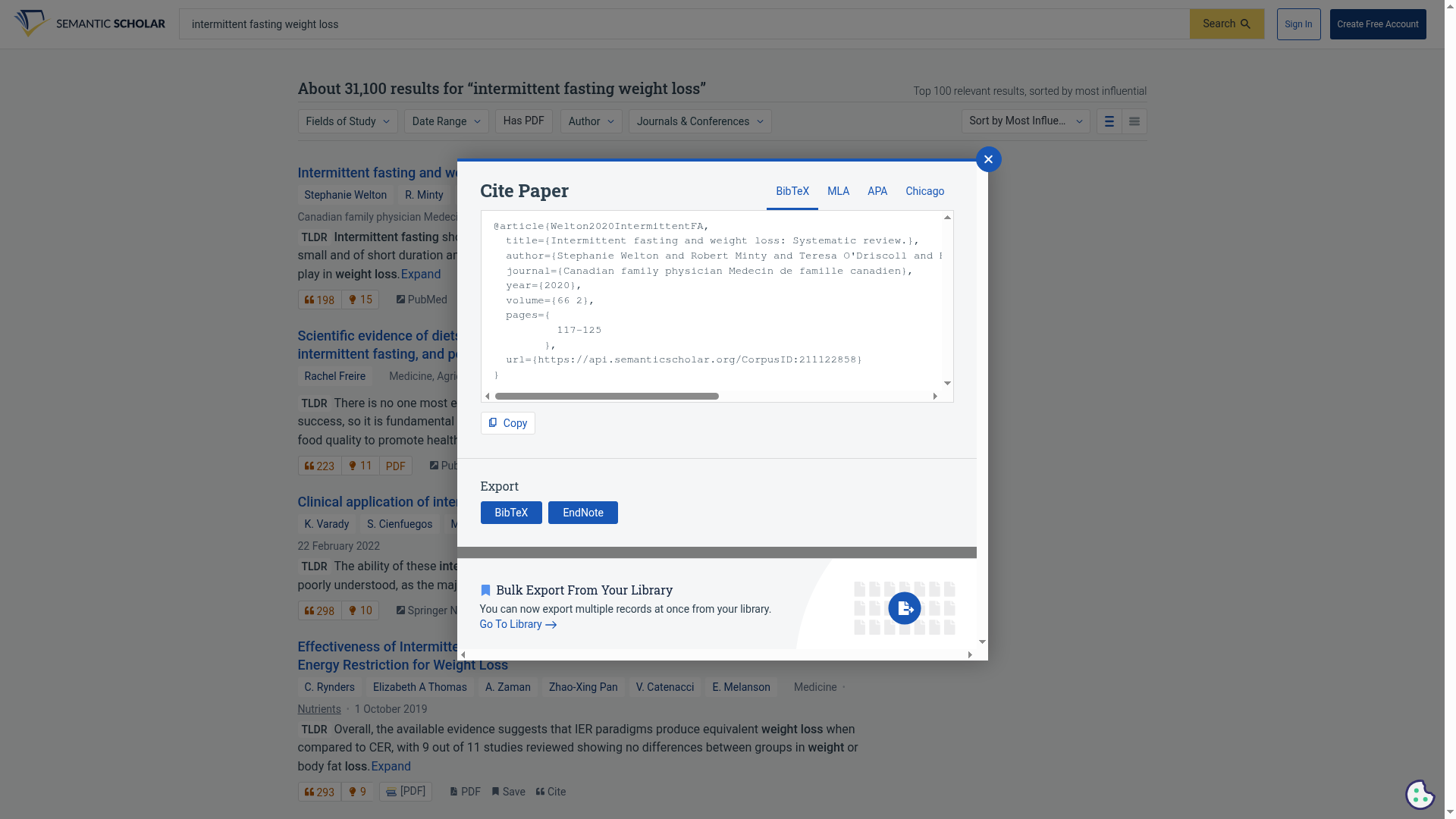
Clicking Cite opened a pop-up with a BibTeX entry for the paper, a Copy button, and tabs for MLA, APA and Chicago. We only looked at the BibTeX tab. The entry's URL pointed to api.semanticscholar.org. Check the author list and page details against the paper before you submit anything.
Where the AI summaries stop
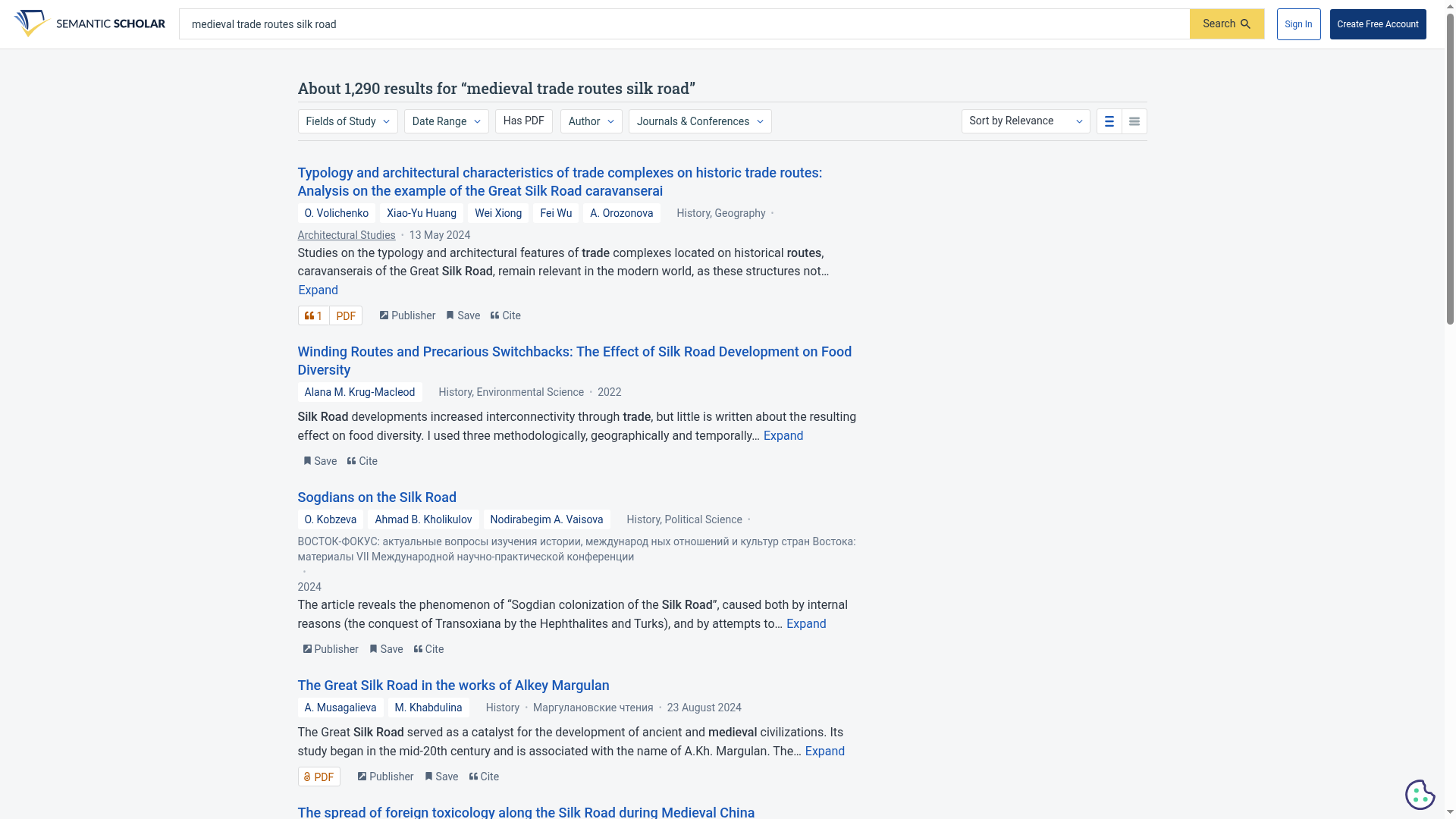
We searched "medieval trade routes silk road". The loaded results page had no TLDR labels. Results showed the start of each abstract instead. That matches the FAQ's limit to computer science and biomedical papers. If your subject is history, law, commerce or literature, expect plain abstracts. We tested one query in that area, not every subject.
How to use it
- Open semanticscholar.org and type a topic or a paper title.
- Use "Sort by" to switch between relevance, citation count, most influential and recency. Use the filters for field, date range, "Has PDF", author and journal.
- Read the TLDR to decide, then open the paper or its PDF link and read the abstract before you rely on it.
- Use Cite to copy the reference in the format your course asks for, and check it.
Limits and frictions
- TLDRs are AI-generated and cover computer science and biomedical papers only, per the FAQ. Treat them as a signpost, not a replacement for the abstract.
- Many papers link to a PDF, but not all. Some results in our test only offered a publisher or PubMed link.
- Search and TLDRs worked without signing in, but the full text of a paper may sit on a publisher site that asks for payment or a login. We did not open any full texts.
- The library, Research Feeds and alerts need an account, per its pages. We did not sign in or test them.
- Results counts and citation counts change, so numbers in this guide are from 25 October 2026.
- There is no smartphone app, per its FAQ. The site works in a mobile browser; we tested the desktop layout.
Privacy
We searched only public topics and did not sign in. Ai2's privacy notice, last updated 19 February 2025 per its page, says Ai2 collects browsing information such as IP address, browser type and the pages you visit. It says information is stored and processed in the United States and that its sites are not intended for people under 16. Sign-in through Google, Facebook, Twitter or OpenAthens collects data such as username and affiliation. In the sections we read, we did not find a statement about how search queries are used or retained, or about model training. We did not audit any data flows. Avoid putting confidential information into a search box.
Why it matters for Indian users
Students working on a project, dissertation or health question in India often rely on a quick web search or a chatbot summary. Semantic Scholar lets you reach the actual papers, see how often they are cited and copy a reference, at no cost. The trade-off is that the AI summaries only cover computer science and biomedical papers, and we could not verify availability in India beyond our own test.
Sources checked 25 October 2026: the Semantic Scholar search pages we tested, its TLDR FAQ, its About page, its product page, and the Ai2 privacy notice, linked below.