
Recordly: free PC screen recording, with a demo
Recordly is a free, open-source desktop screen recorder and editor for tutorials, walkthroughs and demos. It adds automatic zoom suggestions, cursor effects, styled backgrounds and a webcam overlay. This is an app feature, not a claim that it is an AI tool.
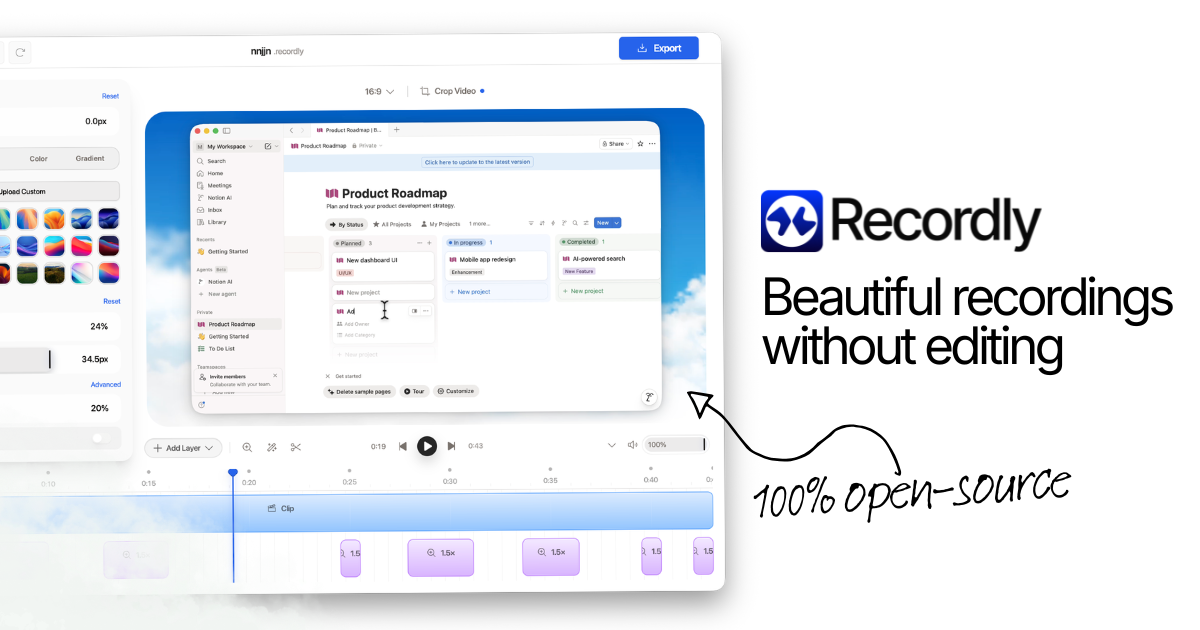
Official publisher artwork hosted by its publisher. Official source. Independent guide, not affiliated or sponsored. Artwork and trademarks belong to their owners.
Watch the official Recordly demo
The video above is the same approximately 20-second demo embedded on Recordly's official homepage. It is hosted by Recordly, not a recording created by AiCoN. Press play to load it. Its displayed interface is a demo, not proof of identical controls on every operating system or version. Open the demo directly.
What Recordly can do
Recordly records your desktop or a selected app window, then opens an editor. Its official homepage and repository document automatic zoom suggestions, cursor smoothing and effects, styled frames/backgrounds, webcam bubbles, microphone/system audio and MP4 or GIF export.
You can trim footage, change speed, add zooms and annotations, import audio or webcam footage, and save work as a .recordly project. These are documented capabilities, not features we installed or tested on a PC.
An older official blog says there is no timeline editing. The current homepage and repository explicitly document timeline tools. This guide follows the current product description rather than repeating that older simplification.
Price and operating-system requirements
| Free verdict | The official homepage says free and open-source, with no paywalls or hidden limits. The repository names the AGPL 3.0 licence. No paid subscription is required by those public product descriptions. |
|---|---|
| Windows | The current repository lists Windows 10 Build 19041 or newer. The latest release API returned v1.4.0, published 8 September 2026, including a Windows x64 installer. |
| macOS | The repository lists macOS 14.0 or newer; release assets include Apple Silicon and Intel builds. |
| Linux | The repository says modern distributions and supplies an x64 AppImage. It explicitly notes that cursor hiding is not supported on Linux today. |
| Not established | No guarantee is made about a specific PC's graphics/audio setup, capture permissions, installer reputation or performance. We did not install or execute the app. |
How to start on a Windows PC
- Open recordly.dev and follow its official Windows download, or use the project's official releases page.
- Check your Windows version and system type. The verified current installer is Windows x64; do not assume it is a native Windows ARM build.
- Use the installer from the official project release. If you verify download integrity, use the SHA256SUMS file from that same release; we did not hash or certify the installer.
- Do not disable security tools or dismiss an operating-system warning solely because this guide links the project. Stop if a warning or mismatch needs investigation.
- Choose the window or screen to record. Review microphone, system-audio and webcam permissions.
- Make a short trial recording with non-sensitive material, then check capture, sound and export before recording anything important.
- Review the editor's zooms, cursor treatment, crop and background. Save the .recordly project if you need to edit later.
- Export MP4 or GIF and inspect the final video before sharing.
This is an editorial starting workflow based on official documentation, not a hands-on installation report.
Protect what your screen reveals
Close private tabs, password managers and unrelated documents. Pause notifications and prefer a single app window when it covers the task. Check the complete export for visible names, email addresses, messages, tokens and private audio.
Ask permission before recording another person's voice, image or private conversation. Treat community extensions as extra code with their own trust questions; this guide does not review or endorse marketplace extensions. Open-source availability is not a security audit or a guarantee of safety.
Frequently asked questions
Is this Recordly.ai?
No. This guide covers recordly.dev, the desktop screen recorder. Other products use a similar name.
Is it an AI tool?
The sources checked describe recording and automated editing effects, not an AI model. It is labelled as an app/PC tool here.
Can I record computer sound?
The official documentation lists microphone and system audio and native Windows WASAPI support. Test your own setup before relying on it.
Has AiCoN tested the app?
No hands-on installation or performance test is claimed. Features are verified against official sources.
Is the demo hosted on AiCoN?
No. The embedded player loads the official MP4 from Recordly's media domain when you choose to play.
Sources: Official homepage, Official repository, Current README, Verified release, Official demo MP4, Older official guide. Checked 7 October 2026.