
QuickLook: free file previews in Windows, just press Space
QuickLook previews a file when you press Space in Windows File Explorer. Its website says it is free, open source (GPL-3.0), with no ads and no telemetry.
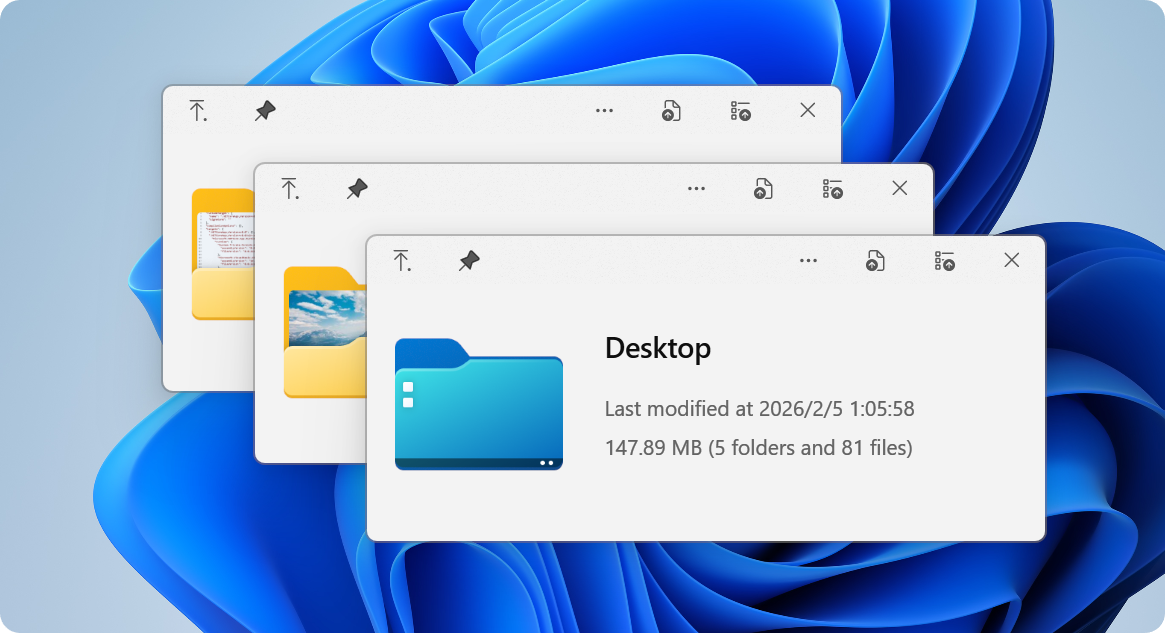
Official publisher artwork hosted by its publisher. Official source. Independent guide, not affiliated or sponsored. Artwork and trademarks belong to their owners.
Official app screenshot
What it is
QuickLook adds a quick preview to Windows File Explorer. You select a file, press Space, and a preview window opens without launching the full app. The project describes it as "macOS Quick Look for Windows" and says: "Preview any file instantly by pressing Space - no app opens, no waiting." It is not an AI tool.
Is it free?
Yes, per its official site. The QuickLook website says "Free & Open Source. GPL-3.0 licensed. No ads, no telemetry, no subscriptions." GitHub also lists the license as GPL-3.0. We saw no price or account.
What it does, per the project
- Previews images, video, audio, PDFs, source code, Office documents, archives and more. The website says "50+ formats" and the GitHub README says "100+ formats". The two pages do not agree, so we give no number.
- The README says Office files can be previewed through a plugin without Microsoft Office. We did not check this.
- Basic keys from the README: Space opens or closes the preview, arrow keys move between files, Esc closes, Enter opens the file in its normal app.
- The site says it follows your Windows light or dark theme and can be used entirely from the keyboard.
How to get it
- Open the QuickLook GitHub page or the official website.
- The README lists four routes: Microsoft Store, an installer, Scoop and a nightly build. It says the Store version has limited support in Open and Save dialogs and no portable mode, and that the installer has the full feature set. We did not test either.
- GitHub's latest release we saw was 4.5.0, published 14 April 2026. The release has an installer (.exe), an .msi, an .appx and a .zip.
What to watch out for
- Windows only. We saw no Mac or Linux version.
- Preview is not the same as opening safely. Opening files from unknown people can still be risky, even in a preview. That is our advice, not the project's.
- Not tested. We did not install it, so we cannot say how fast it is, or which Windows versions it supports. The README mentions a Microsoft .NET runtime badge, which we did not follow up.
- Prefer the official GitHub or website links. Our advice.
Privacy and data
- The website says "No ads, no telemetry". That is the project's statement. We did not test it.
- We did not find a separate privacy policy.
India
- We saw no region limit and no price. We did not test downloads from India.
Frequently asked questions
Is QuickLook free?
Its website says it is free and open source under GPL-3.0.
Does it work on Mac?
No. It is a Windows tool that copies the Mac idea.
Does it send data?
The site says no telemetry. We did not test it.
Sources: Website, GitHub. Checked 18 October 2026.
Independent guide, not affiliated.
Scoped recheck 23 October 2026: official website and GitHub. Still "Free & Open Source. GPL-3.0 licensed. No ads, no telemetry"; latest release still 4.5.0. Added the project's own preview image from the GPL-3.0 source repository and set it as the page cover, replacing a stretched 200px logo. No fact changes. Other claims retain their original source-check date. Original publication date unchanged.