
Photopea: a full Photoshop-style editor, free in your browser
Open a PSD, edit it with layers, masks and filters, and export a PNG - in your browser, free, with no account. We created, edited and exported an image ourselves with no signup; here is what the official pages confirm and the limits to know.
Quick facts
- What: Photopea, a free Photoshop-style photo and graphics editor that runs entirely in your browser, with full PSD support and 40+ file formats
- Cost: free for any purpose, including commercial work, according to its published Terms of Use; ad-supported, with an optional Premium (one-time payment, e.g. €15 to hide ads for 3 months, about ₹1,600 at €1 ≈ ₹106.22, rate published 22 October 2026)
- Signup: none needed; we created, edited and exported an image with no account
- Your files: processed on your own device; Photopea states files never leave your computer (details in Privacy below)
- Made by: the Photopea project; its public development tracker on GitHub dates to November 2015 with 8,500+ stars
- Runs on: any modern browser; heavier files run better on better hardware, since all work happens on your device
- Works in India: yes, no restrictions observed; interface is in English
What it is
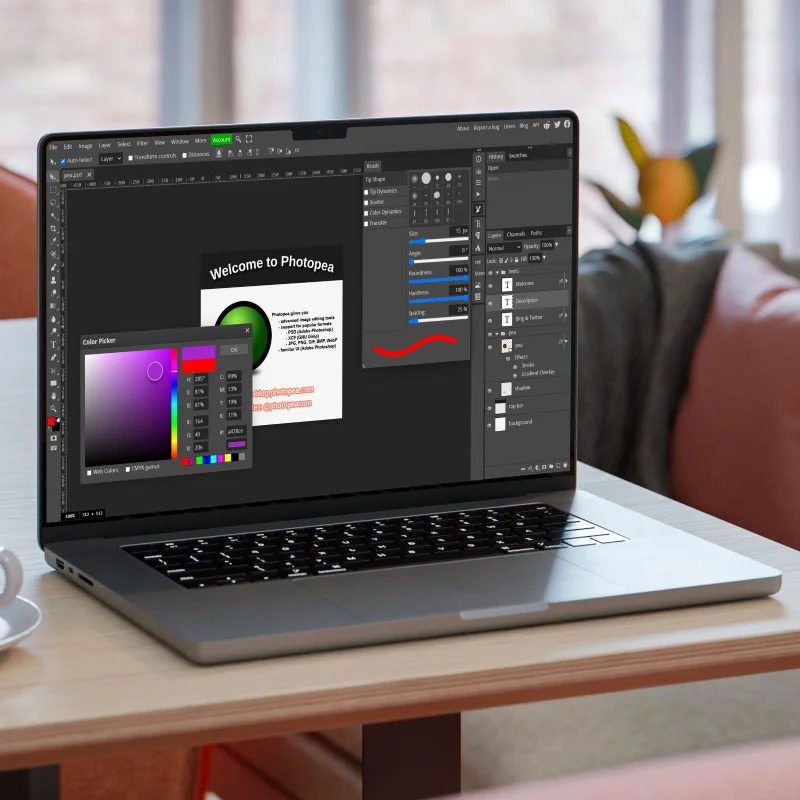
Photopea is a genuinely full image editor in a browser tab: layers, masks, blend modes, adjustment menus, filters, text tools, brushes, the lot. It opens and saves Photoshop's PSD format natively, and handles PNG, JPG, GIF, SVG, PDF, AI, XD, Figma, Sketch, RAW camera files and about 40 other formats. If you have ever used Photoshop or GIMP, the layout - toolbar left, layers and history right - feels immediately familiar.
Unlike most "online editors", Photopea does not upload your photos to a server. The site states that files are processed entirely on your own device, which is why it can honestly say your pictures never leave your computer. Editing continues even if your connection drops.
What we tested
On 22 October 2026 we opened photopea.com in a desktop browser with no account. This is exactly what we did and saw:
- The homepage's "Start using Photopea" button loaded the full editor in the same tab after a few seconds - no signup, no download.
- We chose File, New, and got a New Project dialog with ready templates (Instagram 1080 x 1080, YouTube thumbnails, Facebook covers) plus custom size, DPI, colour mode and artboard options. We created a plain 1280 x 720 white canvas; a "Background" layer appeared in the Layers panel.
- We applied Image, Adjustments, Invert. The white canvas turned black instantly, the History panel logged "Invert", and the layer thumbnail updated - a real pixel-level edit, not a demo.
- We exported through File, Export as, PNG. A "Save for web" dialog offered format, size and quality controls with a file-size estimate, and clicking Save downloaded the PNG with no account or payment prompt.
- The editor's right column is reserved for advertising. In our test browser the ads themselves were blocked, and Photopea displayed its own "Support Photopea" panel offering ad-free Premium for €15 for 3 months.
Is it free?
Yes, and unusually clearly so. Photopea's own Terms of Use say the editor "can be used by anyone for any purpose, for free", that your work belongs to you, that you may sell what you make, and that you do not have to credit Photopea. The catch is advertising: a sizeable ad column sits on the right of the editor. If ads bother you, Premium is a one-time payment (for example €15 for 3 months, roughly ₹1,600) rather than a subscription, and it simply hides ads; all editing features are already free.
What you can use it for
- Everyday photo fixes: crop, resize, adjust colours, retouch, then export for WhatsApp, Instagram or print
- Opening PSD files without Photoshop: designers' PSD, AI, XD, Figma and Sketch files open directly
- Social media graphics: ready-made templates for Instagram posts and stories, YouTube thumbnails and Facebook covers
- Quick format conversions: open a HEIC, WEBP, SVG or PDF and export a plain PNG or JPG
Privacy and data
According to Photopea's published privacy policy, files you open "are never sent anywhere, they never leave your device" and are processed by your own hardware; the practical flip side it states is that if you close Photopea without saving, your work is lost. Without an account, the site stores one preferences cookie (_ppp: language, theme, tool settings) which it says cannot identify you. If you optionally log in, it stores your name, email, settings and any payment details, deletes your record after six months of inactivity, and offers immediate deletion via support@photopea.com. Optional cloud storage connections (Google Drive, Dropbox, OneDrive) move files only between your device and your cloud, per the same policy. We did not audit Photopea's servers; this section summarises the provider's own published policy plus what we observed.
India
Photopea worked normally in our session with no region restrictions, and the interface is in English. Because everything runs on your device, performance depends on your phone or laptop rather than on internet speed - a modest laptop handles everyday edits fine, and the site itself says "the better hardware you have, the better it runs". On slow connections the first load of the editor is the main wait.
Good to know
- Save your work before closing: files live only on your device, so an unsaved tab is gone for good.
- Its free sibling tools are linked inside: Vectorpea for vector graphics, among others.
- Optional PeaDrive, Google Drive, Dropbox and OneDrive connections let you open and save files directly, but simple download and upload works fine too.
- The editor also has a "Generate" AI image feature and templates gallery; the core editor needs none of these to be useful.
Frequently asked questions
Do I need an account or to install anything?
No. Open the site, press "Start using Photopea", and edit. An optional account only adds settings sync and Premium.
Can I use it for commercial work?
Yes. Its Terms of Use explicitly allow any use, including selling work you make, with no credit required.
Does it really open PSD files?
Yes. PSD is its native working format, and it also opens AI, XD, Figma, Sketch, PDF, RAW and around 40 more formats.
Is my photo uploaded to a server?
According to Photopea's privacy policy, no: files are processed on your own device and never leave it. We took this from the provider's published policy rather than our own server audit.