
Pencil2D: free open-source software for hand-drawn animation
Pencil2D says it is completely open source and free to use, even commercially. Draw frame-by-frame 2D animation on Windows, macOS or Linux. The team says it can be a bit buggy.
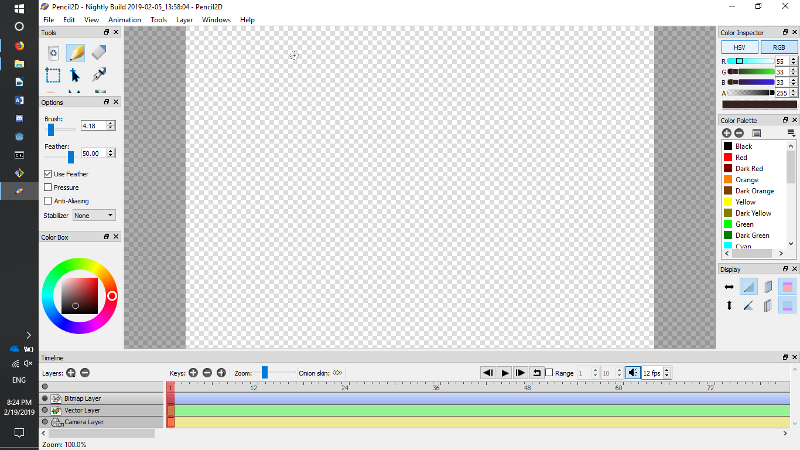
Official app preview
What it is
Pencil2D is a drawing and animation program for making hand-drawn 2D cartoons. Its website calls it "an easy, intuitive tool to make 2D hand-drawn animations", with a "minimal design" so you can focus on animating. You draw frames on a timeline, switch between bitmap and vector drawing, and play the result back. It is not an AI tool. We included it as a free creative app.
Is it free?
Yes. The Pencil2D home page says it is "completely open source and free to use, even commercially!" Its GitHub page lists the licence as GNU General Public License v2.0 and says the project is developed entirely by volunteers. We saw no paid version.
What you can do with it
- Draw frame by frame. The official user manual walks you through a first animation: draw a circle on frame 1, add a keyframe, draw it a little to the right, and press play.
- Use onion skin. The manual says onion skin lets you see the previous and next drawings while you draw.
- Mix bitmap and vector drawing, per the home page.
- Use a camera layer. The FAQ says the canvas is unlimited and the camera rectangle is the area that gets exported to a video or images.
- Platforms. The home page says Windows, macOS, Linux and FreeBSD. The download page lists v0.7.2 (last updated 13 March 2026), Windows 7 and later, macOS 10.14 and later.
What to watch out for
- It is a simple tool. It is made for hand-drawn animation, not for video editing or 3D.
- The project asks for help with bugs. Its FAQ says the program can be "a bit buggy" and the team needs more developers. We did not test it.
- Some help pages look older. The FAQ lists older operating system versions than the download page. Use the download page for current requirements.
- Nightly builds are experimental. Pencil2D says they may contain new bugs. The stable download is the safer choice.
- Download only from the official site or the official GitHub releases page.
Privacy and data
- Pencil2D is a desktop program. We did not find a privacy policy or a statement about whether the app sends usage data.
- Its website loads Google Tag Manager, which we saw in the page's code, so the site may measure visits. We did not find a cookie notice.
- You draw and save files on your own computer. We did not open the app to check where it saves or what it sends.
India
- The download is a normal desktop file with no price, region lock or account mentioned on the pages we read. No rupee price is involved.
Frequently asked questions
Is Pencil2D free?
Yes. The project says it is free and open source, even for commercial use.
Does it work on Mac and Windows?
Yes. The download page lists Windows 7 and later and macOS 10.14 and later, plus Linux.
Do I need to know how to animate?
Not to start. The manual has a first-animation walk-through, and the FAQ points beginners to forum learning lists.
Sources: Pencil2D, Download, FAQ, User manual, GitHub. Checked 16 October 2026.
No standalone Pencil2D logo is used in this article. Independent guide, not affiliated.
Official manual, website repository licence and download page rechecked 23 October 2026. Stable v0.7.2, Windows 7+, macOS 10.14+ and Linux remain listed. The manual image is older and does not establish current controls. Other claims retain their original source-check date. Original publication date is unchanged.