
PDFsam Basic: free split and merge for PDF files
PDFsam Basic is a free, open-source app to split, merge, extract and rotate PDFs on your own computer. Its site says no watermarks, no size limit, and nothing uploaded.
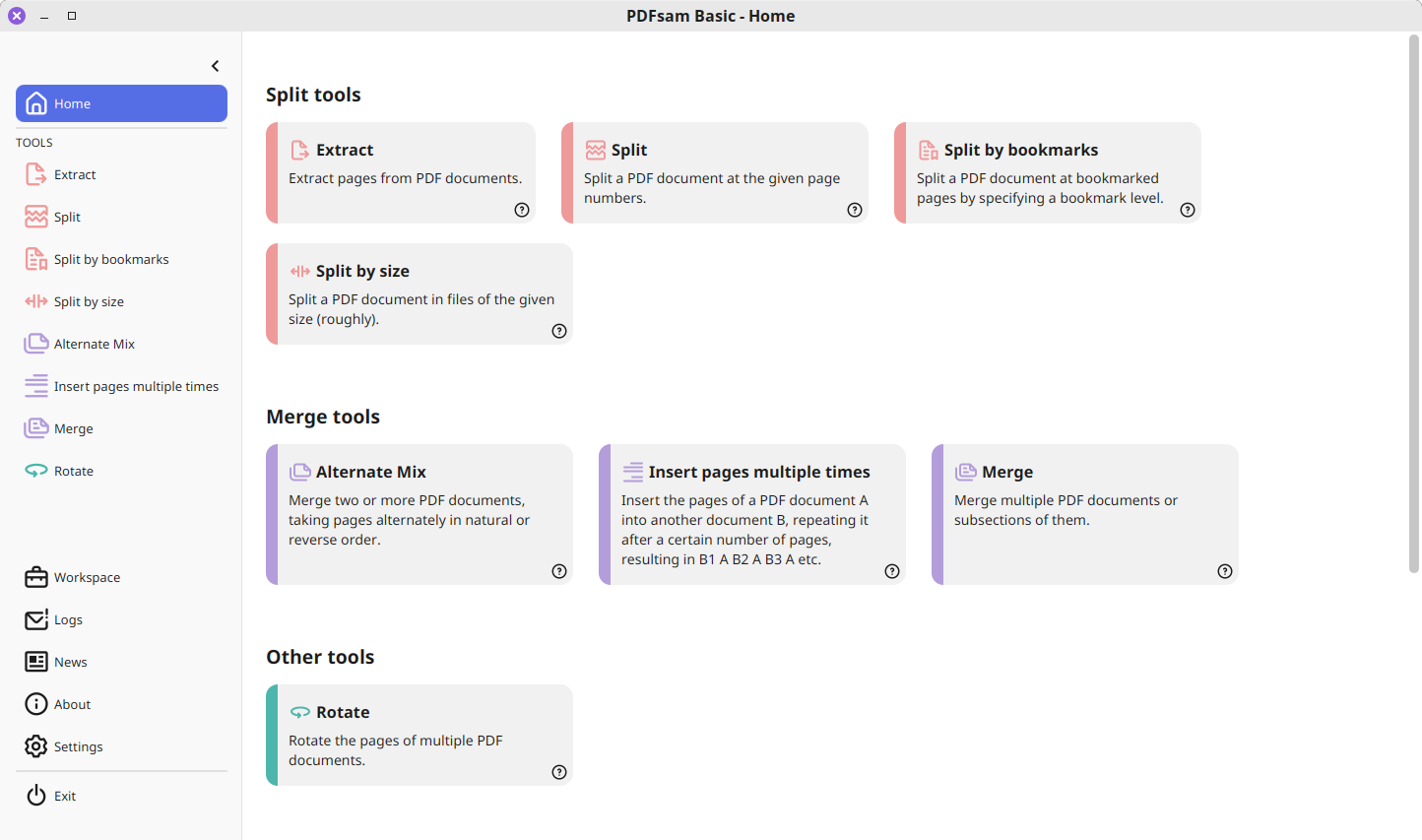
Official publisher artwork hosted by its publisher. Official source. Independent guide, not affiliated or sponsored. Artwork and trademarks belong to their owners.
Official app demo

What it is
PDFsam Basic is a free, open-source desktop app to split, merge, extract, rotate and mix PDF files. Its website says it runs on Windows, macOS and Linux, and that your files never leave your computer. It is not an AI tool. We included it as a free utility for everyday PDF jobs such as joining scans or pulling a few pages out of a big file.
Is it free?
Yes, for PDFsam Basic. The site's FAQ says "PDFsam Basic is free and open source under the AGPL, with no watermarks and no file size limit", and that it can be used in a company for free. PDFsam makes two other versions that are not free in the same way: PDFsam Visual is "free to try for 14 days with no sign-up, then it needs a license", and PDFsam Enhanced is free to view and create PDFs with registration, while a yearly subscription unlocks the full editor, per the site. This post is about Basic only.
What you can do with it
- Merge. Join PDFs, pick pages, and keep bookmarks and forms, per the site.
- Split. At given page numbers, at bookmark levels, or into files of a given size.
- Extract and rotate. Keep only the pages you need, or rotate all or some pages.
- Mix. Take pages alternately from two files. The site says this suits a single-sided scanner.
- Works offline. The site says no internet connection is required. You choose pages by typing page numbers and ranges.
What to watch out for
- Basic is not a PDF editor. It does not change text or images, and it has no reader. Per the site, editing, OCR and signing are in the paid Enhanced version.
- Typed page numbers. The site says Basic works by typing page numbers and ranges. Clicking pages on thumbnails is a feature of the paid Visual version.
- Not tested. We did not install it or open a PDF.
Privacy and data
- The privacy policy says all PDFsam applications process PDF files locally and no content in your PDFs is automatically sent or uploaded to its servers.
- It says "Nothing is sent and/or collected by PDFsam Basic".
- The website itself may use cookies and collect visit data such as IP address, and the policy mentions Google Analytics, which you can opt out of.
- The policy was last revised on 1 September 2023.
India
- It is free, so no rupee price is involved. The site does not mention country limits. We did not check India availability beyond that.
Frequently asked questions
Is PDFsam Basic free?
Yes, per the site: free and open source under the AGPL, no watermarks, no file size limit.
Does it upload my files?
The site says no. The apps run on your computer.
Which systems does it run on?
Windows, macOS and Linux for Basic, per the site.
Sources: PDFsam home page and FAQ, Privacy Policy. Checked 17 October 2026.
Independent guide, not affiliated.
Scoped recheck 23 October 2026: pdfsam.org still describes PDFsam Basic as free and open source software under the AGPL license with no watermarks and no file size limit; latest release is now v6.0.6 (2 October 2026). Added the project's own animated merge demo from the AGPL-3.0 source repository. No fact changes. Other claims retain their original source-check date. Original publication date unchanged.