Mockaroo: test with fake rows, not real records
A prototype needs rows to sort, filter and display, but copying customer records into a test system creates avoidable exposure. Mockaroo lets you choose fields and constraints, then generate a real data file. We configured four non-personal fields and verified the downloaded CSV rather than assuming the preview was the final file.
Quick facts
- Tested route: public browser generator, four custom fields, 20 rows, CSV with header.
- Verified file: 20 data rows; test_id 1 through 20; quantity 1-5; unit_price 10-99.99; status only new, packed or shipped; no blank cells.
- Free browser limit: official pricing says 1,000 rows per file and no daily limit on browser file downloads. We tested 20 rows, not the maximum.
- No login, Google connection, card or payment was used. Saved schemas, APIs and AI field generation were not tested.
- Privacy: we entered only generic field names and constraints. Do not assume this hosted service processes data only in your browser.
Why use it beside a chatbot?
A chatbot can suggest a schema or write a small sample. Mockaroo gives you explicit field types, number ranges, blank settings and allowed-value lists, then produces a downloadable file. That makes a repeatable structure easier to inspect than manually copying a long answer.
This is a test-data generator, not a source of real orders or market evidence. Random rows do not automatically model your application's business rules, edge cases or production distribution. A large file is not a complete test plan.
The schema we actually configured
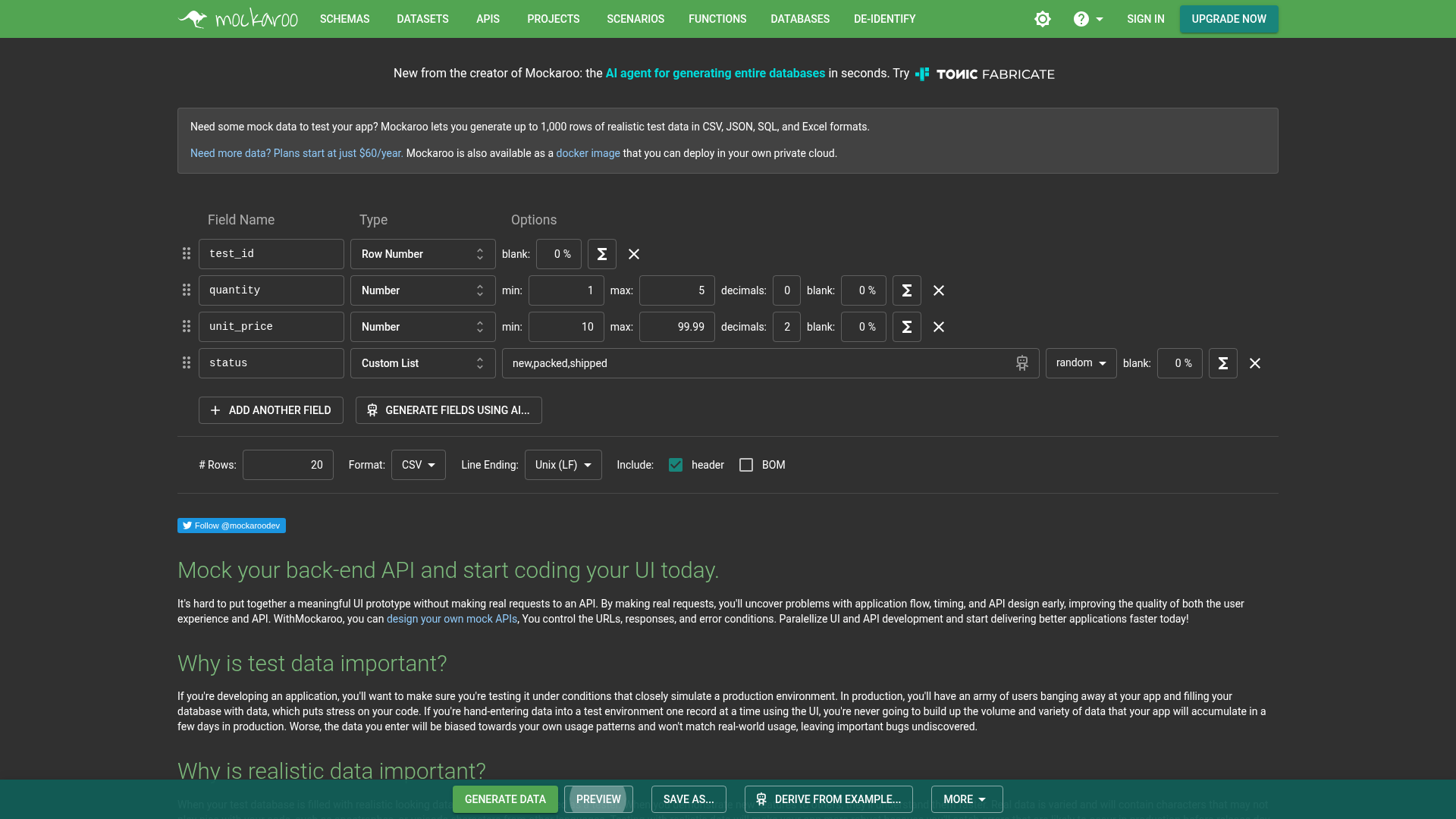
On 29 October 2026 we opened the public generator, removed unneeded default fields and set:
test_id: Row Number, blank 0%.quantity: Number, minimum 1, maximum 5, decimals 0, blank 0%.unit_price: Number, minimum 10, maximum 99.99, decimals 2, blank 0%. This is a fictional number, not a quoted price or a currency conversion.status: Custom List,new,packed,shipped, random selection, blank 0%.
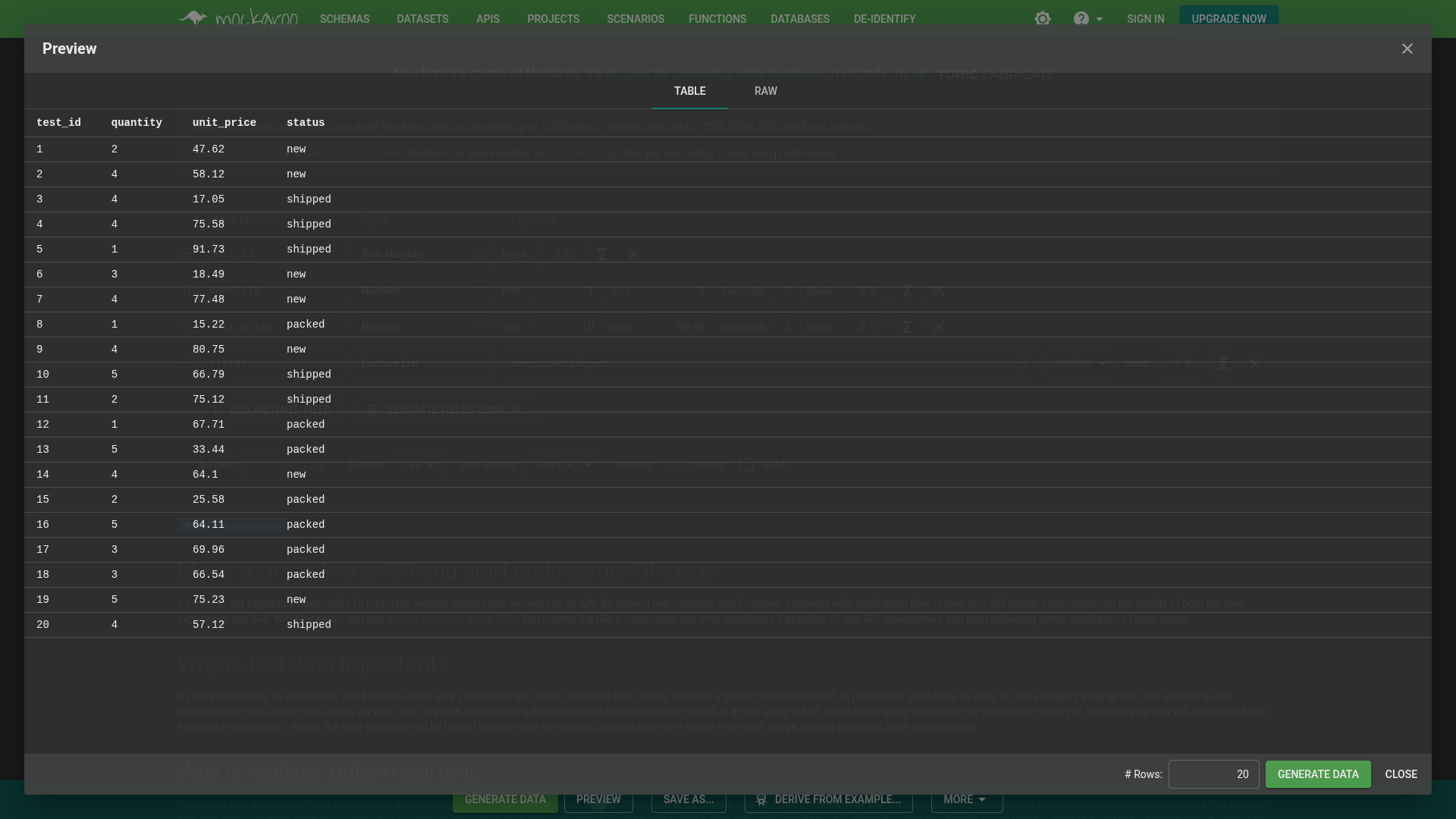
We set Rows to 20, kept CSV, Unix LF and the header checkbox, then opened Preview. The table showed the chosen columns and 20 generated rows. We did not use Generate fields using AI, Derive from example, imported datasets or any account feature.
Check the actual download separately
After closing Preview we chose Generate Data and received MOCK_DATA.csv. We parsed that actual file: exactly 20 data rows, four expected headers, IDs 1-20, all quantities within 1-5, all unit prices within 10-99.99, all statuses in the allowed list and no blanks. These are checks of one sample, not a guarantee about every future file.
The first five rows below are copied from the actual downloaded CSV, not reconstructed from the preview:
test_id,quantity,unit_price,status
1,1,39.15,new
2,3,23.89,packed
3,2,57.29,new
4,3,63.62,shipped
5,5,12.09,packed
Generating again can produce different random values. Do not use a preview screenshot as proof of a later file's contents. Preserve the downloaded fixture if you need the same test data again. We did not verify deterministic seeds or saved-schema persistence.
The CSV is data, not a ready-made dashboard. We did not import it into a database or test spreadsheet number formatting. A numeric value can be displayed without two trailing decimal digits; apply your target application's currency formatting separately.
A safer first workflow
- Start with generic fields rather than uploading real records. Remove the default personal fields if your test does not need them.
- Choose each field's type, range, decimals and blank percentage. Use a Custom List when only specific values are allowed.
- Generate a small file first. Open Preview, then wait until the actual table appears.
- Choose your format and header setting, then Generate Data. Reopen the downloaded file and check count, columns, blanks, ranges and categories.
- Keep an unchanged fixture for repeatable tests. Add deliberate boundary and error cases separately, such as zero quantity, an unknown status or an empty required field, according to your app's rules.
Free scope and separate API limits
The official pricing page lists the Free browser plan at 1,000 rows per file, with no daily limit on browser downloads. It separately lists 200 API requests per day. Browser file generation and API access are different routes; we did not use an API key, sign in or test any API allowance.
Paid plans are offered for larger files. We did not purchase one or verify checkout. No request for payment or an account interrupted this 20-row test. Avoid interpreting that as unlimited capacity or a promise that all features work signed out.
Synthetic does not mean anonymized
Our fields were non-personal and our values were generated. That is different from taking a real customer export and merely changing names. We did not test Mockaroo's De-identify feature, data-upload handling or AI tools.
The privacy policy discusses information collection and security, but it is not proof that every input stays in your browser or that every feature meets your organization's rules. We did not audit network traffic, retention or data residency. Do not enter credentials, production records, confidential examples or API keys to try this tutorial.
Generated names or contact details can resemble real people by coincidence. We avoided those data types entirely. We also did not test India-specific access, offline operation, SQL/JSON/Excel export or live application integration.