KStars: free planetarium software for your computer
Scoped recheck: 24 October 2026. Official documentation and policy review; no install, account, application, deletion or hardware test. Original publication date retained.
KDE describes KStars as freely licensed, open source astronomy software. The download page lists Windows, macOS and Linux.
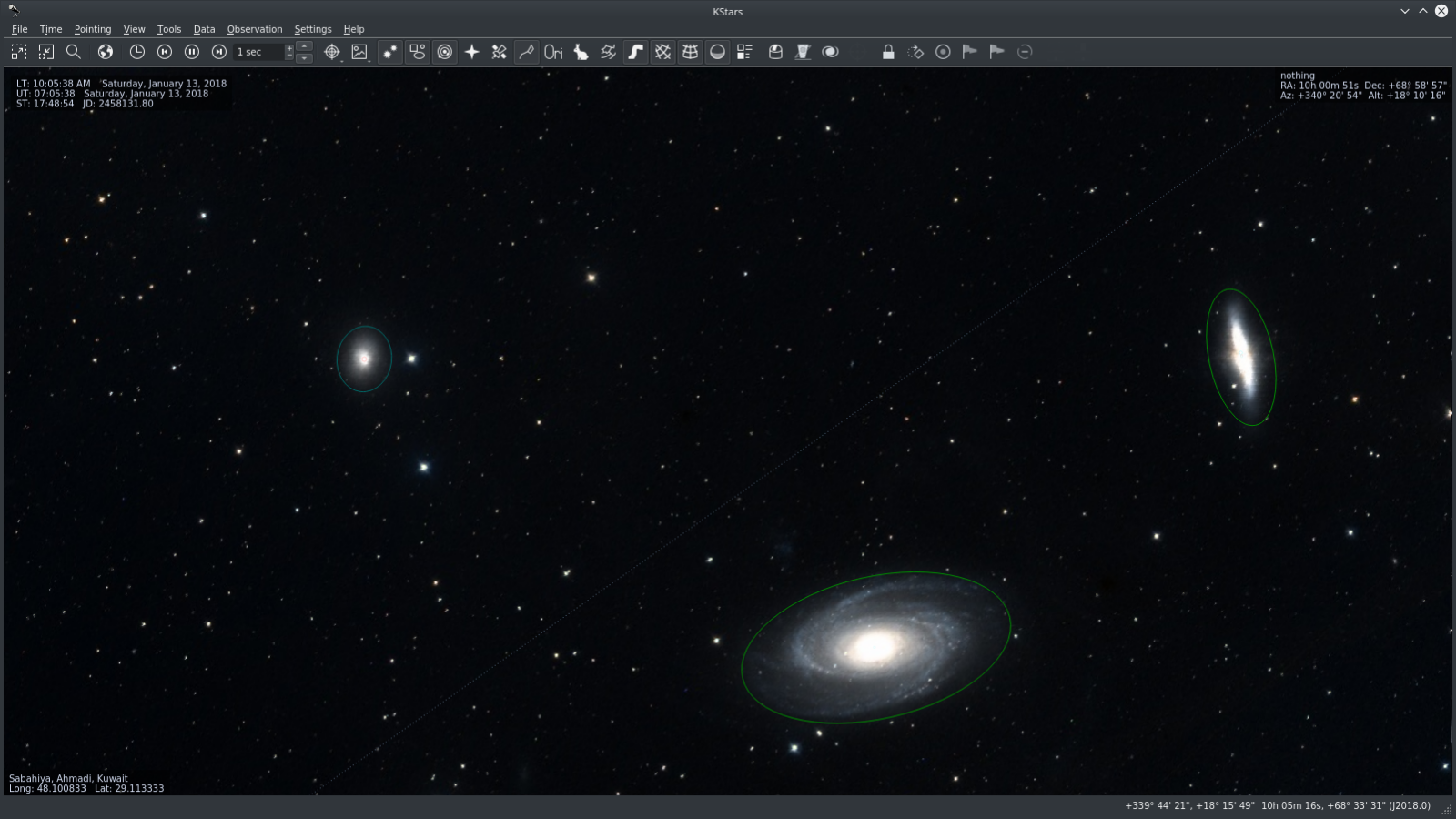
Official publisher KStars sky-view screenshot, not a current AI/MCP/hardware test. Hosted by publisher. https://kstars.kde.org/. Independent guide, not affiliated or sponsored.
What it is
KStars is KDE’s free, open-source planetarium and astronomy software. It serves students, educators and observers, and includes the separate Ekos astrophotography/hardware-control suite. Calling the whole product “not AI” is too broad: the current 3.8.5 release documents an AI Guider and MCP automation tools. You can begin with a sky simulation without connecting hardware or an AI assistant.
Is it free?
Yes. The KDE apps page describes KStars as "freely licensed, open source, cross-platform Astronomy Software by KDE". We found no paid tier on the pages we read.
Which devices
- The KStars download page lists Windows, macOS and Linux, plus a source tarball. The current version it shows is 3.8.5, released 3 October 2026.
- We did not find a phone or tablet version on the download page.
Privacy and data
- KDE's software privacy policy says KDE software, as a general rule, does not send information off your device except as a result of an explicit action by you, such as visiting webpages or downloading content.
- The general policy also permits periodic checks that can be disabled, sending only needed information. Its Get Hot New Stuff addon feature sends search terms and sort order to KDE Store when used. These are policy statements, not a KStars-specific traffic test.
- It says any telemetry in KDE software is opt-in and off by default.
- The policy says copies from third-party distributors may differ. Download from the official page.
India
- We found no India-specific statement or age limit on the pages we read.
Frequently asked questions
Is KStars free?
Yes. KDE describes it as freely licensed, open source software.
The KDE apps page documents extra downloaded catalogues, online-database retrieval, and online or offline astrometry solving in Ekos. Free/open-source does not mean every feature is offline. Choose data sources and solver settings deliberately; this general KDE policy is not a traffic audit or a privacy guarantee for third-party solvers, drivers, assistant providers or distribution modifications.
AI guiding and automation are optional, consequential controls
The official 3.8.5 release describes AI Guider reliability fixes, multi-night training and opt-in drift filtering, plus MCP tools that can start/stop scheduler jobs and start/stop/abort/pause/resume capture. These are not read-only sky lookups. Connected telescopes, cameras, focusers and other INDI devices may be affected. Keep simulation-only learning separate from hardware operation; check equipment, permissions and actual settings before automation. Do not expose a control service or connect an assistant merely to try the planetarium. No hardware, MCP or AI guiding setup was tested, and release-author benchmark improvements are not independent performance guarantees.
The 3.8.5 official release provides separate macOS arm64 (Apple Silicon) and x86_64 variants, with a universal binary only hoped for in a future release. For Linux, the release recommends the official KStars Flatpak on Flathub; the download page also describes distribution packages. Do not assume every distribution package is the same version or every installer supports your OS/hardware. System requirements and India downloads were not tested.
Does it work on a phone?
The download page lists Windows, macOS and Linux only.
Is it AI?
Primarily it is planetarium/astronomy software, but current Ekos includes AI Guider features and MCP automation controls. A basic sky view does not require enabling either.
How to start
- Open the KStars download page and choose Windows, macOS or Linux. Check the linked installer or distribution requirements before downloading.
- Install using the instructions for your platform. On Linux, the official page points to your distribution's package manager.
- Start with the sky view and set a location, date and time to explore. You do not need to connect a telescope to begin.
- Read the official help before using telescope or astrophotography controls. AiCoN did not test installation, system requirements or hardware compatibility.
What changed since this post?
Scoped 24 October recheck confirms stable 3.8.5 dated 3 October, preserves the warning about the KDE apps development banner/nightly builds, and adds the official release’s AI Guider, write-capable MCP/hardware controls, separate Mac architectures and Linux package advice. Catalogue/solver network use is distinguished from general KDE privacy. Original 14 October publication retained. No install, hardware, account, network or AI test.
Sources: KStars, Download, KDE apps page, KDE privacy policy. Checked 14 October 2026.
Scoped recheck: stable release, Mac architectures, Linux recommendation and AI/MCP controls. Checked 24 October 2026. Official source claims, not hands-on software, application or hardware tests.