
Krisp: noise cancellation, notes and trial limits
Scoped recheck: 24 October 2026. Official documentation, pricing and privacy review; no account, setup, install, recording or payment test.
Krisp combines audio features with meeting transcription and notes. Its current pricing page offers a seven-day free trial without a card. That is a trial, not a permanent unlimited free plan.
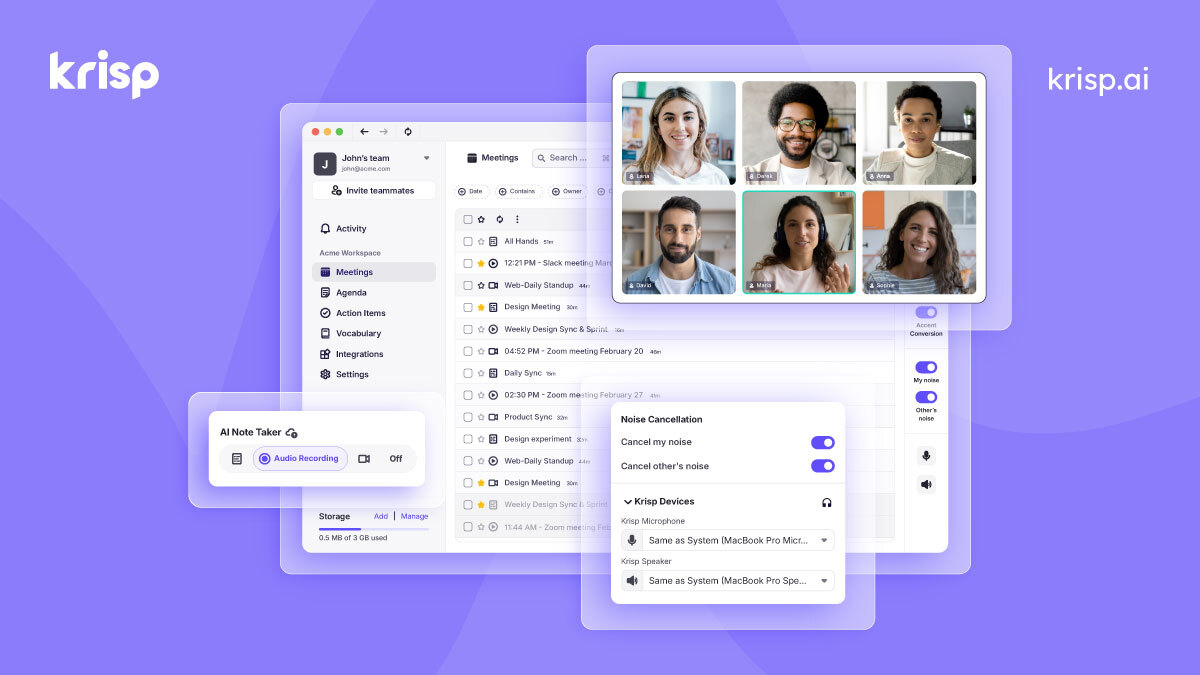
Official publisher product illustration from its 2025 image path, not a current UI, storage-quota or India-language test. Hosted by publisher. https://krisp.ai/. Independent guide, not affiliated or sponsored.
Audio cleanup and notes are different
Noise cancellation attempts to reduce distracting sound. Transcription turns speech into text. AI notes condense that text into summaries and action items. Good audio can improve clarity but cannot guarantee a correct transcript. A generated action item can assign the wrong person or invent a deadline if you do not review it.
How to use it, step by step
- Open krisp.ai/pricing and check the trial and plan that fit your device and use. Confirm platform compatibility before installing.
- Read the signup permissions. The current FAQ says calendar connection is part of the default process, with a separate alternative discussed through sales.
- Test audio in a low-risk call and verify what microphone and output settings your meeting app is using.
- Before recording or transcribing a real meeting, get everyone's appropriate consent and follow workplace or institutional rules.
- Explain what will be recorded or processed and where resulting notes will be kept. Bot-free does not mean no recording.
- Review the transcript, summary and action items against the actual discussion. Correct names, amounts, responsibilities and deadlines.
- Before sharing notes, check the audience and remove unrelated sensitive information. A meeting participant is not automatically entitled to every private detail in the recording.
- At trial end, review the plan and billing terms before paying. Record the renewal date and cancel through the actual billing route if you do not want the subscription.
What the free trial means
The pricing page describes seven days at ₹0 without a credit card and lists transcription, noise cancellation, recording and AI notes within that trial. Do not assume the same allowances continue indefinitely. A trial is useful for testing your own equipment and workflow. It is not proof that your organisation permits its use.
Paid Core and price ambiguity
The current rendered Meeting AI pricing page resolves the old extraction ambiguity: Core is US $16 per user/month with Monthly selected and $8 per user/month with Annually selected. Advanced is $30 monthly or $15 per user/month on the annual selection. These are displayed per-month rates, not a verified final invoice or India rupee quote. Review the full billing-period total, tax, seats and renewal terms before paying. Older rupee conversions are removed, not refreshed by guesswork.
Core lists 10 GB storage and Advanced 60 GB; unlimited recording usage is not unlimited storage. Enterprise lists on-device private transcription/recordings and data-centre choices separately, so do not attribute those enterprise controls to every trial/Core account. Meeting AI, Call Center AI and developer offerings have different prices and rules.
Paid subscriptions auto-renew monthly/yearly after the first payment. Current Core/Advanced cancellation help directs admins to Settings → Billing → Plan Details → Manage Subscription → Downgrade. Paid access continues to cycle end; the help says payments are not refundable unless the Terms provide otherwise. Cancellation is not recording deletion or an immediate refund. No billing route was exercised.
Accent conversion is separate
The current Core listing includes an allowance for accent conversion and names several speaker-side accents, including Indian accents. That is not a claim that every Indian voice or local language works equally well. Accent conversion changes audio presentation, while transcription and translation are different tasks. Test it with consent and avoid changing someone's voice representation without their understanding.
Privacy and bot-free meetings
Noise Cancellation used alone processes audiovisual content on the device without Krisp accessing/storing that conversation content, according to the 28 September privacy policy. Meeting Assistant is different: transcripts, recordings and summaries may be stored on servers and meeting content shared with service providers for summaries. A no-model-training promise on the pricing FAQ is not a no-upload/no-retention promise.
The policy says non-English speech detected in Transcribe-only mode may automatically cause relevant audio to be recorded for multilingual transcription. It says that temporary audio is deleted once the transcript is generated. The older multilingual help instead tells users to select Record mode, so do not rely on a mode name or bot absence as proof no audio is captured. Explain processing and obtain appropriate consent before starting. Bot-free does not mean unrecorded.
Recording help says keep Note Taker off before and throughout the call to disable transcription and recording. It documents cloud storage, selective deletion that can retain transcripts/notes, a 4-hour single-recording limit, and no new recordings after storage is full until space is made. Downgrading still permits existing-recording listening/sharing; it does not erase them. Policy generally retains recordings/notes until instructed to delete, with separate retention/legal exceptions. Do not import Call Center AI admin-retention settings into a Meeting AI plan.
The policy asks under-16s not to submit personal data. Business-email accounts may join an employer workspace under its settings; employer/account data access needs review. Ordinary meeting content is not automatically local-only because enterprise private processing exists. No permissions, recording, retention, sharing, deletion or consent controls were tested.
Review notes before they become commitments
An AI summary is a draft. Check decisions and whether a suggestion was actually accepted. Names can be confused when several people speak. Do not send a summary saying someone owns a task if the recording only shows them discussing it. Keep corrections visible so the meeting record does not silently misrepresent the conversation.
India and Kerala practical use
Current multilingual help lists 16 transcription languages including Hindi, but not Malayalam. That does not verify mixed-language accuracy or permanent product-wide absence; no live language menu or call was tested. The help’s older Record-mode instructions differ from the newer policy’s automatic non-English temporary capture. Check your actual version/mode and obtain consent. Accent conversion, transcription and translation are separate features with different language/platform support.
Frequently asked questions
Is it permanently free?
The current page offers a seven-day trial, not a permanent unlimited free plan.
Does bot-free mean no consent needed?
No. Recording and processing still require appropriate consent and rules.
Are AI action items final decisions?
No. Review them against what participants actually agreed.
Which Core dollar price applies?
Rendered Monthly selection shows $16/user/month; Annually shows $8/user/month. Check the complete billing-period invoice, seats, tax and actual checkout before paying.
Official sources
Checked 6 October 2026. Expanded from an AiCoN short post delivered 5 October 2026. Portal screens and rules can change.
Scoped recheck: rendered billing selections and trial · noise-only versus cloud processing and temporary non-English capture · recording, storage and selective deletion limits · language list and older recording instructions · paid auto-renewal · cancellation and no default refund. Checked 24 October 2026. Source claims, not a hands-on account or deployment test.