
KiCad: open-source software to design circuits and circuit boards
KiCad lets you draw circuits and lay out circuit boards. Its About page says it is licensed under GNU GPL v3 and runs on Windows, Linux and macOS.
Official publisher logo hosted by its publisher. Official source. Independent guide, not affiliated or sponsored. Artwork and trademarks belong to their owners.
Official KiCad media
What it is
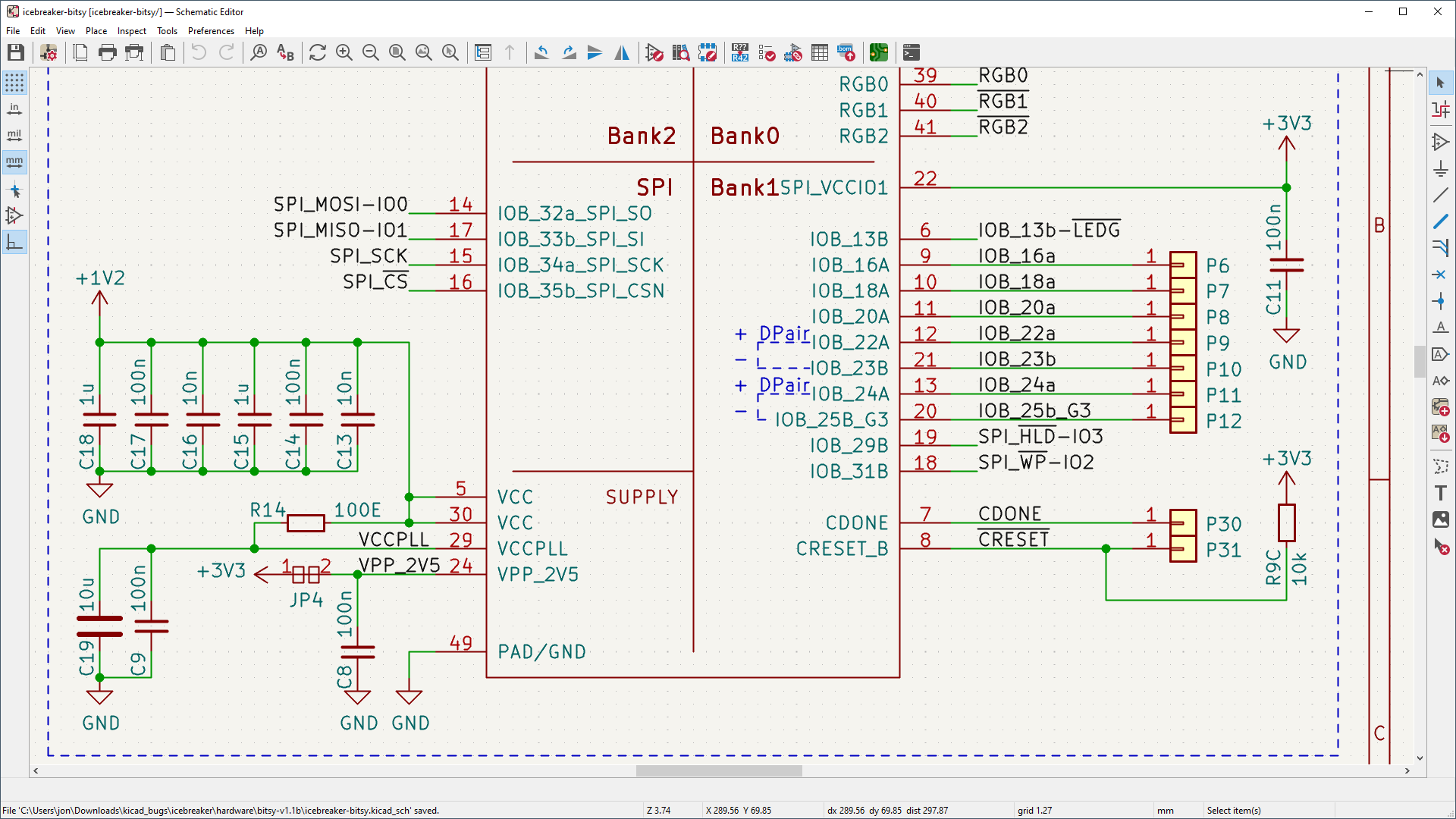
KiCad is software for designing electronic circuits and circuit boards. Its About page calls it "an open source software suite for Electronic Design Automation (EDA)", which handles schematic capture and PCB layout with Gerber and IPC-2581 output. In plain words: you draw a circuit, then lay it out as a board you can send to a maker. It is for electronics hobbyists, students and professionals. It is not an AI tool, and it is not for general users.
Is it free?
Yes. The project's licenses page states "KiCad is free software" and that most of its source code is under GNU GPL version 3 or greater, with some third-party parts under other licences such as MIT. The download pages show no price and the Windows page showed no sign-up. The home and download pages ask for donations, which are optional and separate from downloading or using the software.
What it does, per the site
- Schematic editor: from a basic schematic to a hierarchical design with "hundreds of sheets", with thousands of symbols in the official library, an integrated SPICE simulator and an electrical rules checker.
- PCB editor: described as "approachable enough to make your first PCB design easy, and powerful enough for complex modern designs", with an interactive router.
- 3D viewer: inspect the board for mechanical fit and make realistic images with a built-in raytracer.
- The site says it runs on Windows, Linux and macOS.
- Its mission statement says it is for "professional electronics designers", and that "the needs of professional users take precedence" when features are chosen, while trying to stay approachable for new users. Expect a learning curve. That is our reading of the mission statement. We did not test it.
How to get it
- Open kicad.org/download and choose Windows, macOS, Linux or Docker.
- The Windows page says it supports Windows 10 and 11, on x86-64 and arm64. It showed the current stable version as 10.0.7. The site's blog lists the 10.0.7 release on 7 October 2026.
- The page says installers have a code-signed digital signature and links a verification guide. It also lists testing and nightly builds. Our advice: use the stable release, not nightly builds.
What to watch out for
- Learning curve. The project's own mission statement puts professionals first. A first-time user will need to follow tutorials. We did not check the documentation.
- Making a real board costs money. The software is one thing. Having a board made by a manufacturer is a separate cost that the pages we read do not cover.
- Not tested. We did not install it.
Privacy and data
- We did not find a privacy statement for the program on the pages we read, and we did not test what it sends.
India
- We saw no region limit. We did not test downloads from India. We quote no INR price.
Frequently asked questions
Is KiCad free?
Yes. The project's licenses page says "KiCad is free software" (GPL v3 or greater); donations are optional.
Is it for beginners?
The site says it tries to stay approachable for new users, but puts professional needs first.
Does it run on Mac?
The About page says yes: Windows, Linux and macOS.
Sources: Home, About, Download, Windows. Checked 19 October 2026.
Independent guide, not affiliated.
Scoped recheck 23 October 2026: official download and licenses pages. Windows stable remains 10.0.7. Corrected the earlier uncertainty about free-of-charge wording using the project's own licenses page, which states "KiCad is free software" and that website text and images are under CC BY 3.0+ or GPLv3+; the embedded schematic-editor screenshot from kicad.org is covered by that statement. Other claims retain their original source-check date. Original publication date unchanged.