Pay your Kerala Water Authority bill online: Quick Pay guide
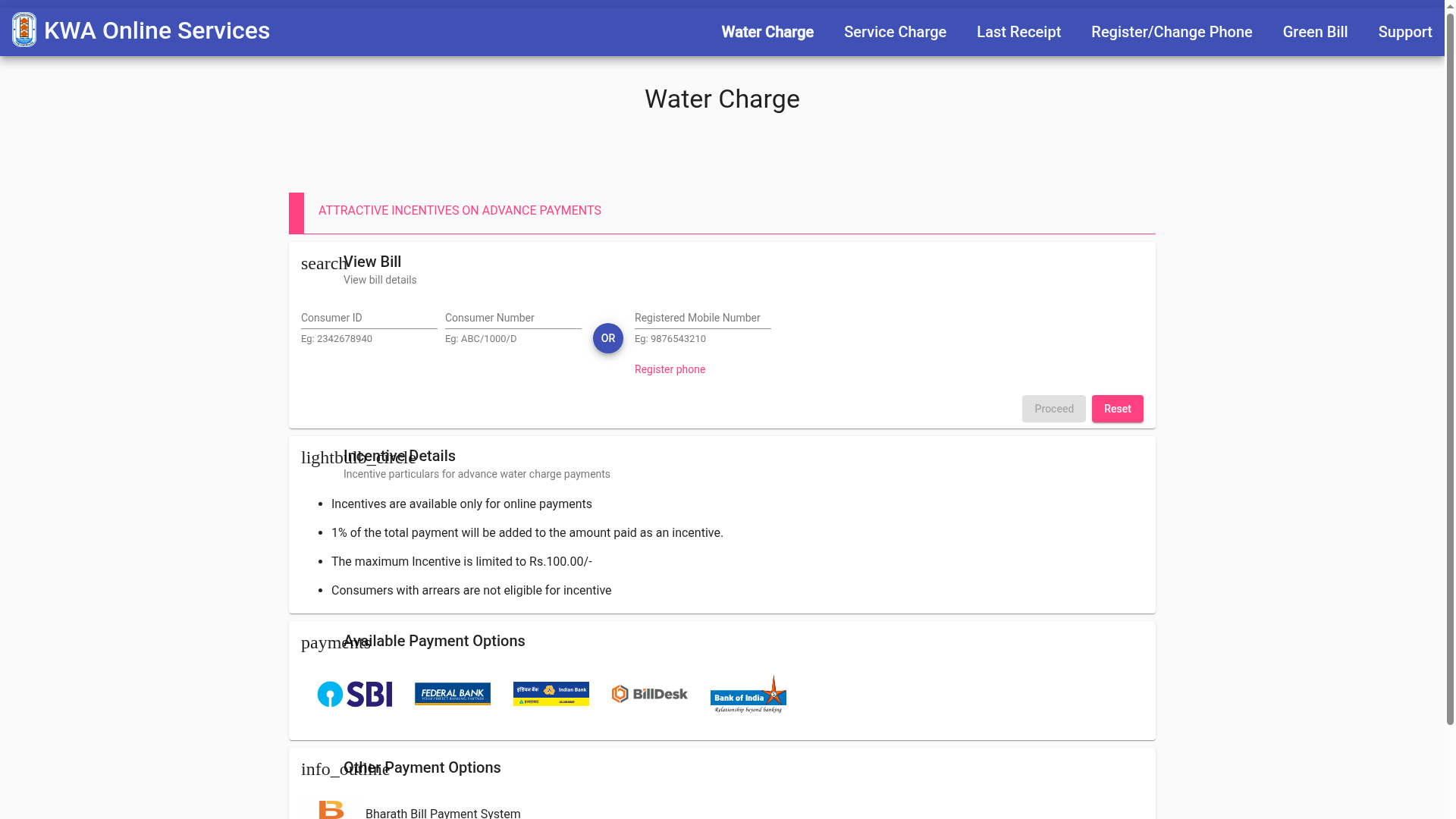
Kerala Water Authority (KWA) has an online payment site, epay.kwa.kerala.gov.in. Its Quick Pay page lets you view a water bill using your Consumer ID, your Consumer Number or your registered mobile number. We opened the site on 30 October 2026 and read the page as listed. We did not enter any consumer details or make a payment.
How to view your bill
- Open epay.kwa.kerala.gov.in and stay on Water Charge.
- Under View Bill, enter your Consumer ID (example format on the page: 2342678940) or your Consumer Number (example: ABC/1000/D), or use your registered mobile number instead.
- Tap Proceed and follow the payment steps.
Not registered yet? The page has a Register phone link, and the menu has Register/Change Phone.
Advance payment incentive, as listed
- Incentives apply only to online payments.
- 1% of the total payment is added as an incentive, capped at Rs 100.
- Consumers with arrears are not eligible.
If a payment goes wrong
- Money debited but no transaction details? KWA asks you to allow 48 hours.
- Still no confirmation SMS or refund after 48 hours: email epaykwa@gmail.com or call the KWA helpline 1916 (both as listed on the page).
- If you paid the same bill more than once, the extra amount is kept as advance and adjusted in later bills.
Other options on the site
The menu also lists Service Charge, Last Receipt, Green Bill and Support. Payment options shown include SBI, Federal Bank, Indian Bank, BillDesk, Bank of India and the Bharat Bill Payment System. We did not test any of them. For a new water connection, KWA has a separate e-Tap service.
Only pay on epay.kwa.kerala.gov.in.
Sources checked 30 October 2026:
Explainer by AiCoN - not a government publication. Rules can change; check epay.kwa.kerala.gov.in.