Kerala ration card online: new card, corrections and member changes on the citizen portal
Most ration card work in Kerala no longer needs an office visit. The Civil Supplies Department's e-Citizen portal lets you register once and then apply for a new ration card, add or remove family members, correct details, order a duplicate card, or transfer your card across taluks and states - from your phone or computer. Card details and application status can be checked without even logging in. We verified the portal on 29 October 2026.
Quick facts
- The portal: civilsupplieskerala.gov.in is the Department of Civil Supplies and Consumer Affairs' official site; the citizen e-services run at ecitizen.civilsupplieskerala.gov.in (Ration Card Management System, built by NIC), available statewide since 4 August 2018.
- Scale: the department's home page shows about 96 lakh ration cards, 13,927 ration shops and over 1.78 crore e-service accounts, across five card types including AAY and priority (PHH).
- What you can do after login: per the department's application forms page - new ration card, inclusion of new members, corrections, duplicate card, removing members, changing the card owner, and transferring the card or its members to another taluk or state. A separate "Give-up ration" link handles surrendering a card online.
- Without login: Rationcard Details and Application Status are public checks on etso.civilsupplieskerala.gov.in - just a captcha, no account. Status messages and print passwords also arrive through the Sandes mobile app.
- On your phone: the official "Ente Ration Card" app (Android and iOS) is linked from the department home page.
- Prefer assisted service: the same system has an Akshaya login, so any Akshaya centre can file these for you.
- Grievances: a dedicated portal at pg.civilsupplieskerala.gov.in, plus help desk 0471-2322155 and toll-free 1967, or rcmskerala@gmail.com.
- Keep buying: the department publishes a list of AAY/priority cards moved to non-priority for not buying ration for three straight months - and ration shops currently work 9 am to 12 noon and 4 pm to 7 pm.
How to start
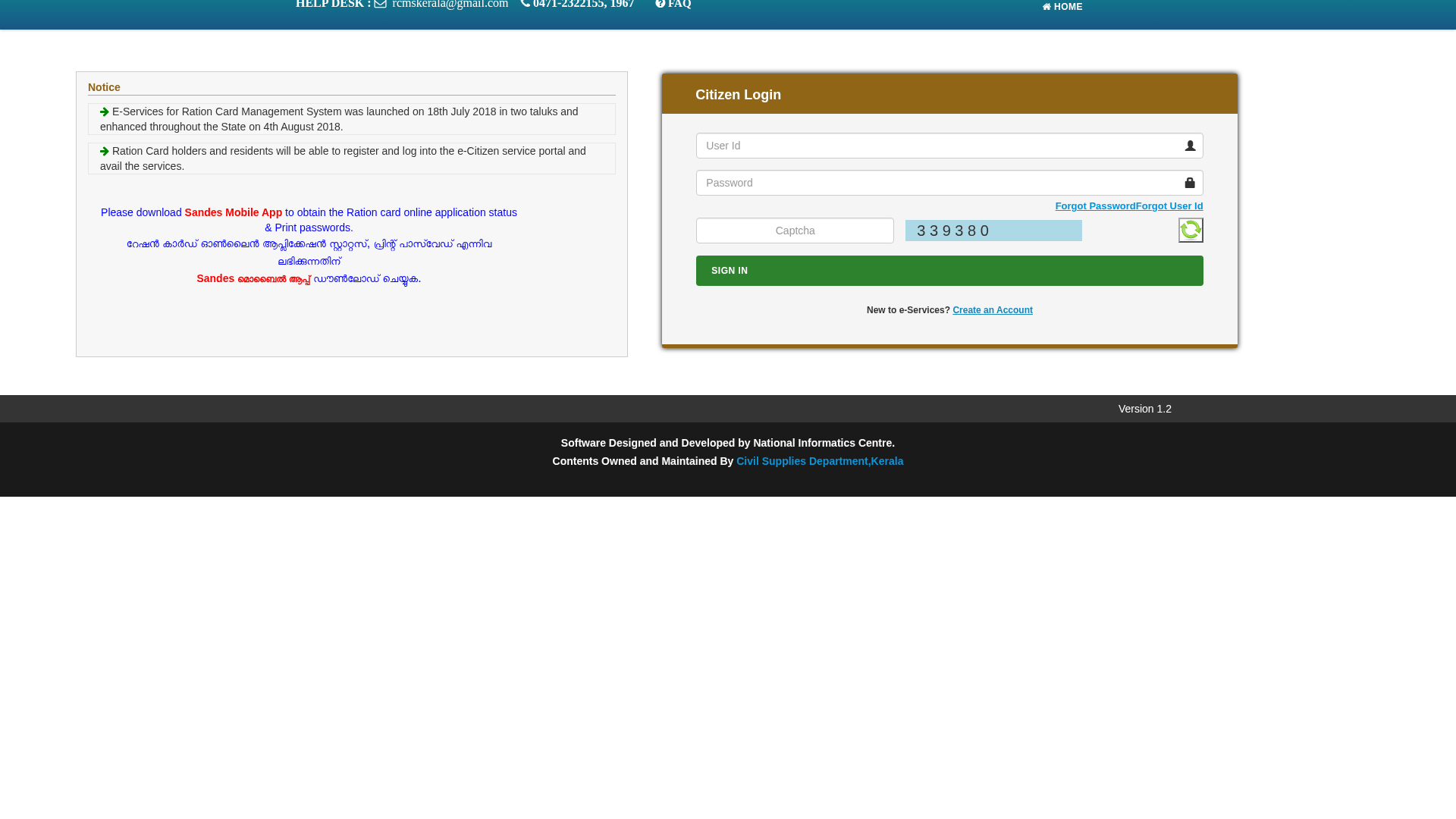
- Open ecitizen.civilsupplieskerala.gov.in and choose Citizen, then "Create an Account" to register.
- Sign in with your User ID and password and pick the service you need - new card, member changes, corrections, duplicate or transfer.
- Track everything without logging in: use Application Status on etso.civilsupplieskerala.gov.in, or the Sandes app for status messages and print passwords.
- For problems, file at pg.civilsupplieskerala.gov.in or call 1967 (toll-free) / 0471-2322155.
The site works in Malayalam and English - the language toggle is at the top of civilsupplieskerala.gov.in.
Sources checked 29 October 2026:
- Department of Civil Supplies and Consumer Affairs, Kerala (portal, statistics, apps, forms - verified)
- e-Citizen: Ration Card Management System (citizen registration and login - verified)
- Public ration card details and application status checks (no login - verified)
- Civil Supplies grievance redressal portal
Explainer by AiCoN - not a government publication. Details can change; check civilsupplieskerala.gov.in.