
Book Kerala government hospital OPD appointments online: eHealth Kerala UHID guide
Booking a government hospital outpatient visit online starts with a Unique Health ID. eHealth Kerala - the State Digital Health Mission, a Government of India-funded project run with Kerala's Health and Family Welfare Department - lets you register once with Aadhaar to get a permanent Unique Health ID (UHID), then book outpatient appointments at e-Health enabled government hospitals online. We checked the official site and opened its login page on 30 October 2026; we did not log in, register or book.
Quick facts
- One ID for life: per the official site, registration is Aadhaar-based and creates a permanent Unique Health ID - one citizen, one health record - usable lifelong at government hospitals.
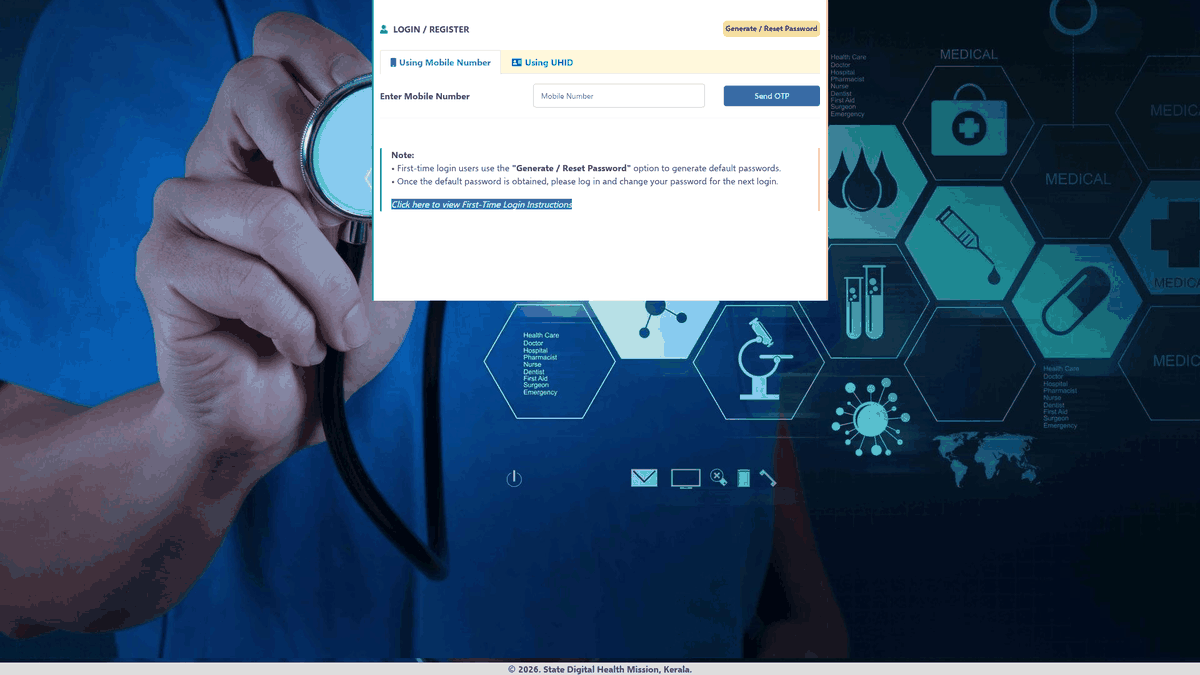
- The citizen portal: ehealth.kerala.gov.in/portal handles login and registration. You can sign in with your mobile number (OTP) or your UHID; first-time users tap "Generate / Reset Password" to get a default password, then change it after the first login.
- Online appointments: the mission states citizens can book online appointments at e-Health enabled government hospitals through the citizen portal, and a hospital search page lists facilities district by district.
- Telemedicine: review consultations with doctors are available virtually through the M-eHealth mobile app, starting as a pilot.
- Also on the site: dashboards, the vaccination portal link, ABDM (Ayushman Bharat Digital Mission) section and an Aadhaar grievance page.
- Outside Kerala's network: the national Online Registration System at ors.gov.in (NIC, Digital India) offers OPD appointments, lab reports and blood availability at central and other states' hospitals, integrates with ABHA.
How to book
- Open ehealth.kerala.gov.in and go to the citizen portal. Per the official site, new users register using Aadhaar to get a permanent UHID; users who already have a UHID sign in to take an appointment.
- On the citizen portal login page, which is the page we opened, you can use a mobile number (Send OTP) or a UHID. First-time users are told to use "Generate / Reset Password" first.
- Per the official site, after login you can book an online appointment at e-Health enabled government hospitals through the citizen portal (not tested by us; we only opened the login page).
If your hospital is not on e-Health yet, try the national portal ors.gov.in - or call the hospital directly.
Sources checked 30 October 2026:
- eHealth Kerala - State Digital Health Mission (UHID, online appointment, telemedicine - verified)
- eHealth citizen portal login/registration (verified)
- eHealth hospital search (district-wise)
- ORS national patient portal (OPD appointments, lab reports, blood availability)
Explainer by AiCoN - not a government publication. Details can change; check ehealth.kerala.gov.in.