Kdenlive: free open-source video editor for Windows, Mac and Linux
Kdenlive is a free, open-source video editor for Windows, macOS and Linux. Its homepage lists multi-track editing, effects and automatic subtitles.
Official app preview
What it is
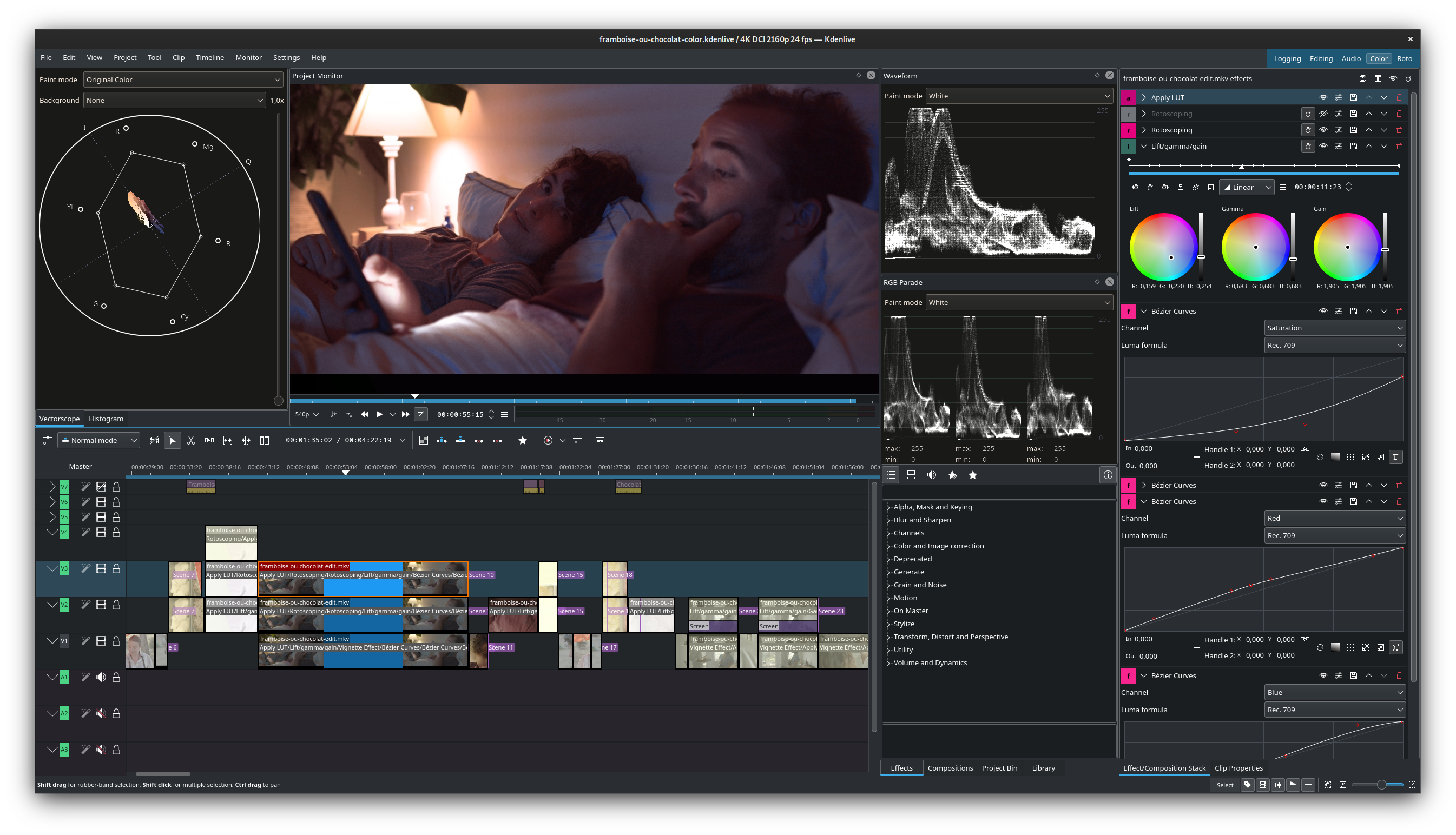
Kdenlive is a video editor for your computer. Its homepage calls it a "Free and Open Source Video Editor" and says the name stands for KDE Non-Linear Video Editor. It lists multi-track editing, effects and transitions, colour tools, audio mixing with voiceover recording, and subtitles and titles. It is not an app for phones.
Is it free?
Yes, per the vendor: the homepage title says "Free and Open Source". The Kdenlive code on GitHub lists the GNU GPL v3 licence. We saw no price on the homepage or the download page. We did not check anything about watermarks or export limits, so we make no claim on those.
What you can do with it, per Kdenlive
- Edit: a flexible timeline with multicam and 3-point editing, nested sequences, markers and automatic backups.
- Low-end PCs: the page says you can use proxies for smooth playback on low-end systems.
- Effects: "hundreds" of audio and video effects, with keyframes and transitions.
- Colour: LUTs, colour correction and grading, with a histogram, vectorscope and waveform.
- Subtitles and text: automatic transcription, subtitle styling, title clips, and a link to Glaxnimate for motion graphics.
Where it runs, per the download page
- Windows 10 or newer, as an installable or a standalone version.
- macOS 13 (Ventura) or newer, for Apple Silicon or Intel.
- Linux, as a stable Flatpak on Flathub. The homepage also lists BSD.
- The homepage listed version 26.08.2, released 13 October 2026.
- Daily builds are offered for testing only. The page warns they "can be unstable and can corrupt existing projects". Our advice: use the stable download.
Automatic subtitles, per the Kdenlive manual
- Automatic subtitles and transcripts use a speech engine you set up in Settings: VOSK or Whisper.
- You install speech models for your language first. The manual does not say in the pages we read whether this runs fully offline, and we did not check, so we make no claim on that.
Privacy and data
- We read no privacy statement for the Kdenlive program. It runs on your computer, and your projects are files you save yourself. That is our reading, not a vendor statement.
What to watch out for (our advice)
- Video editing needs a reasonably capable PC and disk space. The page suggests proxies for low-end machines.
- Save often, even with automatic backups.
India
- No region limit appears on the pages we read. No price applies.
Frequently asked questions
Is Kdenlive free?
The homepage says free and open source. GitHub lists GPL v3.
Does it work on Windows?
Yes, Windows 10 or newer, per the download page.
Does it make subtitles?
The homepage says automatic transcription is included. The manual says you set up VOSK or Whisper and install models first.
Sources: kdenlive.org, Downloads, Speech to Text manual, GitHub. Checked 19 October 2026.
Independent guide, not affiliated.
Official homepage and download page rechecked 22 October 2026. Homepage still lists 26.08.2; stable downloads list Windows 10+, macOS 13+ and Linux Flatpak. Daily builds remain testing-only. Other statements retain their original source-check date. Original publication date is unchanged.