Handshake AI Skills Studio: free learning, but check region and tool costs
Handshake AI Skills Studio offers short, guided projects for practising AI tools. Its learning experience is free, but the current help pages limit the initial regional rollout and warn that some missions use paid third-party features. Indian readers should not assume the launch means they can use every mission now.
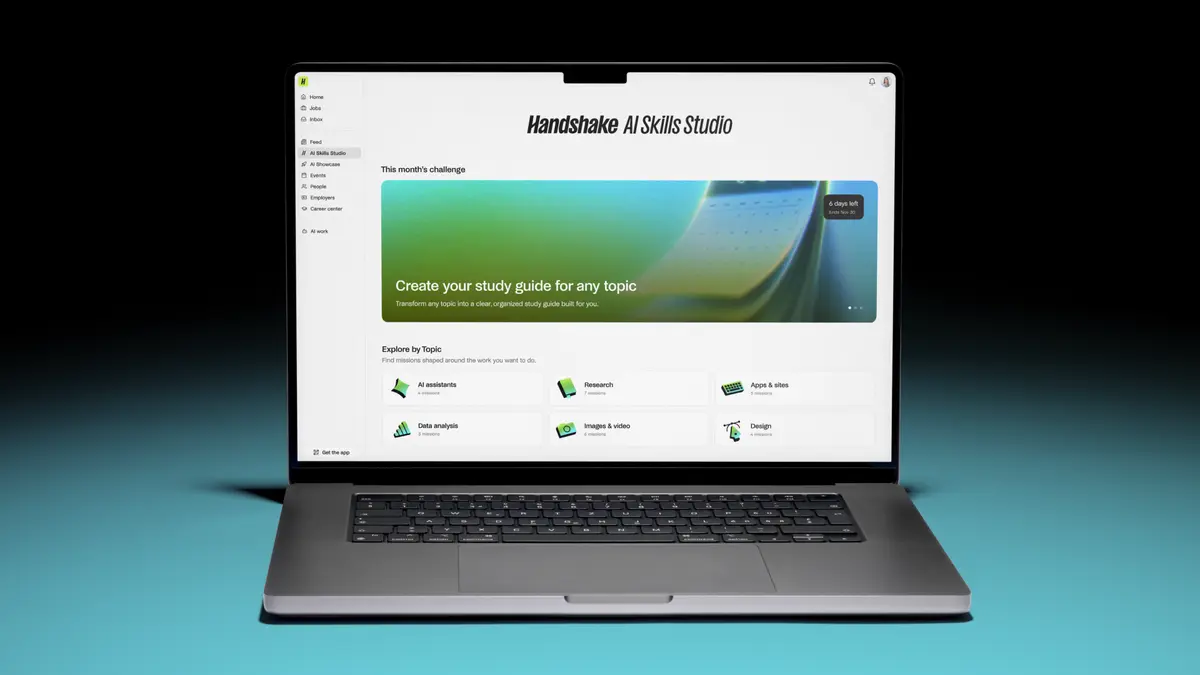
Official publisher artwork hosted by its publisher. Official source. Independent guide, not affiliated or sponsored. Artwork and trademarks belong to their owners.
What is AI Skills Studio?
It is a self-paced learning experience inside Handshake. Learners build practical projects called missions, with instructions and an AI instructor. The official help describes deliverables such as a personal website, dashboard or hiring brief. These are practice projects, not paid work on Handshake AI.
You can browse missions without a required order, follow written instructions or use the voice-based instructor, and resume saved progress. Missions use real third-party tools such as Gemini, ChatGPT and Slack. A useful finished project can demonstrate a skill, but a badge or mission does not guarantee a job, fellowship or placement.
Who can access it?
The current help describes a beta rolling out in phases. Initial access is for Handshake student or alumni users in the U.S., Canada and roughly 30 European countries. It does not establish current India access or a timetable for Kerala institutions.
If you already have a legitimate eligible account, check whether the feature appears. Do not misstate your country, student status or institution to get access. If it is absent, ask Handshake support about your account rather than assuming something is broken.
Is everything free and card-free?
Learning in Studio is free. However, current help says some missions need Pro features of external tools. A third-party subscription may therefore be needed to finish a particular mission. Read its Requirements section before you start.
The partner-offer help says current students have free partner access for missions, but a small number may ask for a card for verification. It says those student verification offers do not charge or create an auto-renewing trial. Alumni often use partner free trials that need a card and can auto-renew. The exact offer shown before signup is what matters.
Partner-offer availability is separate from Studio access. The partner help says international availability outside the U.S. or Canada is not confirmed for most partners. Offers are generally one redemption per person for that partner, not one for each student/alumni offer type; a different email is not a promise of another entitlement.
Some promotional terms apply only for a period. A year free does not mean free forever. Before taking an offer, check who is eligible, the end date, what it costs afterwards and how to cancel. You can decline an offer or choose a mission using a tool you already have.
How to start if your account has access
- Sign in to your own Handshake account.
- On desktop, look for AI Skills Studio in the navigation; the help also gives app.joinhandshake.com/learn. On mobile, look for the Studio tab.
- Choose a mission and read the tool requirements and any partner offer first.
- Follow the instructor or written steps in the relevant third-party tool. Use made-up or non-sensitive data for practice.
- Review your work, finish the mission and keep the resulting project. Check what becomes visible on your profile before sharing.
We did not sign in, redeem an offer, enter a card or complete a mission. Availability and the account-specific offer remain untested.
Privacy and learning limits
Real tools mean real account and sharing settings. Do not upload a workplace's private customer list or a classmate's personal details for a practice project without permission. Check whether the project is private, public or shared to a portfolio. Test the output yourself: an AI instructor can still miss mistakes.
The help says completing missions can strengthen a candidacy but does not guarantee acceptance into the Handshake AI Fellowship. This is a learning route, not an assured paid opportunity.
Frequently asked questions
Can I use it in India today?
The cited initial rollout does not include India. Current access was not confirmed here.
Is a card never needed?
No. Some partner offers ask for one; alumni trials can auto-renew. Read the specific terms.
Must I buy a Pro tool?
Not for every mission. Check requirements and use a mission compatible with the access you have.
What changed since the earlier post?
The launch post described free, card-free launch lessons. Current help adds phased regional access and exceptions for third-party tools and offers. This guide uses those current limits instead of promising universal India access or no card in every case.
Sources: Current Studio help and regions · Partner offers and payment terms · Original launch announcement. Checked 7 October 2026.
Scoped recheck 24 October 2026: official Studio help, partner-offer terms and launch announcement rechecked. Initial beta regions still U.S., Canada and roughly 30 European countries, not confirmed India availability. Free learning is distinct from third-party Pro requirements, student verification and alumni auto-renewing trials. Added separate international partner-offer uncertainty and one-redemption-per-person restriction. Existing official publisher media retained. No sign-in, mission, partner redemption, card entry or purchase test.