
Gemini Personal Intelligence: what it can use and how to turn it off
Personal Intelligence is a Gemini setting that lets the assistant use information from your other Google apps, such as Gmail, Photos, Search and YouTube, to personalise its answers. It only applies to the apps you choose to connect. Google's help pages describe several separate controls, and turning one off does not turn the others off. This guide sums up what Google says, in plain terms. On 27 October 2026 we opened the Personal Intelligence settings screen in a signed-in Gemini account and connected nothing. We did not test the feature itself.
Quick facts
- Google's announcement post (14 January 2026) says connecting your apps "is off by default": you turn it on, pick which apps to connect, and can turn it off any time.
- Per Google's Gemini overview page, it is a beta rolling out to eligible users globally, except the European Economic Area, Switzerland, the United Kingdom and Nigeria. You must be over 18 and use a personal Google account, not a Workspace business, enterprise or education one. Google's help page adds that rollout is gradual and it may not be available to you yet.
- Apps that can connect, per Google's help pages: Google Photos (if eligible), YouTube, Google Workspace (including Gmail, Calendar and Drive), Search services, and Contacts (US only, English only, and an AI Ultra subscription).
- Data use: Google's Connected Apps page says Gemini Apps activity, including data from apps you connect, is used to improve Google services, including training generative AI models, if your Keep Activity setting is on. It also says Gemini does not train directly on your Gmail inbox, Drive, Contacts, Calendar or other Workspace apps, or on imagery or audio from your Photos library; it trains on summaries, excerpts and inferences used to answer prompts, plus your prompts and Gemini's responses.
- Human review: the same page says a subset of Connected Apps data processed by Gemini is reviewed by human reviewers. Google's advice is not to connect apps that hold information you would not want used for training or seen by a reviewer.
- Google says the beta can make mistakes, including "over-personalization", where the model links unrelated topics.
- India: Google's overview page does not list India among the excluded places. We found no India-specific Google page on eligibility. We did not check this from India.
The controls are separate
This is the part most people miss. Per Google's help pages:
- Connected apps (Settings, Personal Intelligence, Connected apps): a switch for each app. Turning an app off stops Gemini using that app for Personal Intelligence. It does not delete anything from your Gemini Apps Activity, and Google says data from it can still be used for product improvement if it is already in your activity. Deleting data in the app itself may not show up in Gemini for days.
- Memory (Settings, Personal Intelligence): a separate switch for learning from your past Gemini chats. Google's Connected Apps page says your choices there do not change Memory: if Memory is on, Gemini still uses past chats to personalise.
- This chat only: in the Gemini mobile app, Tools in the chat box has a Personal Intelligence switch. Per Google, turning it off means that chat is not personalised using Memory, your instructions or connected apps. The chat can still be saved to your Gemini Apps Activity, and a new chat starts with it on.
- Keep Activity: Google lists it as required for the feature. Google says turning it off stops your future chats being used to improve Google AI.
- Public information: Google says disconnecting apps does not stop Gemini using public websites and videos from Search and YouTube to answer you.
To remove something Gemini learned from a connected app, Google says to do both steps: delete the chats containing it from Gemini Apps Activity, and disconnect the app. Disconnecting alone can leave it in past chats, and deleting chats alone can leave it available from the app.
What we checked
On 27 October 2026 we opened gemini.google.com in a desktop browser, signed in to a Google account, and looked at settings screens only.
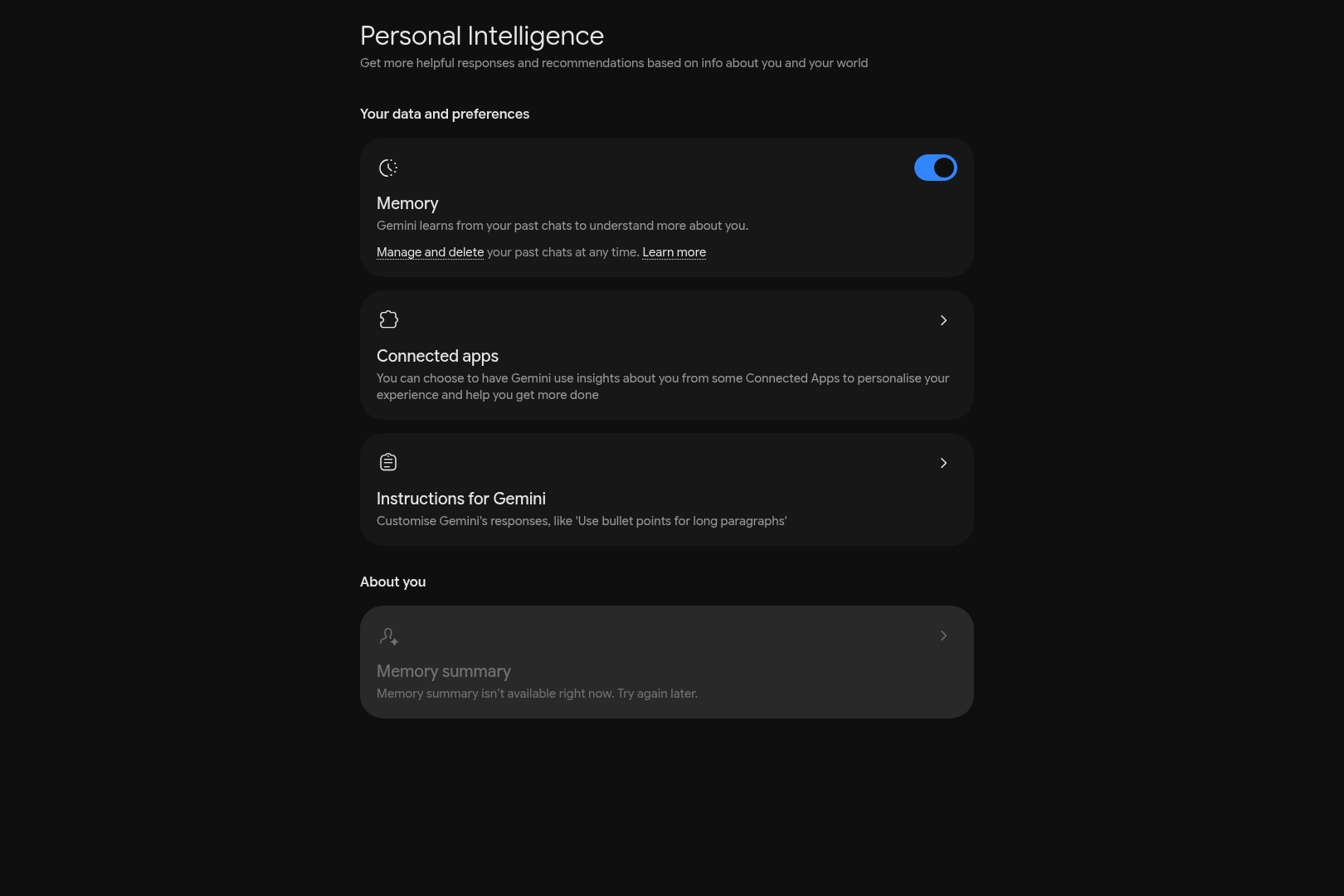
- Settings menu: "Personal Intelligence" was listed under Preferences. Opening it showed three cards: Memory (with its own on/off switch, which was on in our account), Connected apps, and Instructions for Gemini.
- Connected apps: this screen listed Google Workspace, Search services, Google Photos and YouTube with a plus button to connect each. None of those four was connected in our account, and we connected none.
- Not tested: connecting an app, asking Gemini a personalised question, the accuracy of any answer, the per-chat switch, Keep Activity, what Gemini retains, or how this behaves from India. Our account showing these screens does not show that yours will.
How to review it in your own account
- Open Gemini (gemini.google.com or the mobile app). On desktop use Settings & help, then Personal Intelligence.
- Check Connected apps. If you want to try the feature, connect one app instead of all. The opt-in screen offers "Connect all", "Choose apps" or "Don't connect".
- Check the Memory switch separately, since it is not part of the app list.
- To keep one chat unpersonalised, use the per-chat Tools switch in the mobile app.
- To remove something Gemini learned, delete the chats and disconnect the app, as above.
Cost: we did not find a current India price or plan statement on Google's pages, so we state none.
Sources checked 27 October 2026: