FontForge: free font editor to design and edit typefaces
FontForge calls itself "a free and open source font editor". It lets you design your own typeface or edit existing fonts in formats like TrueType, OpenType and WOFF. Here is what its pages say.
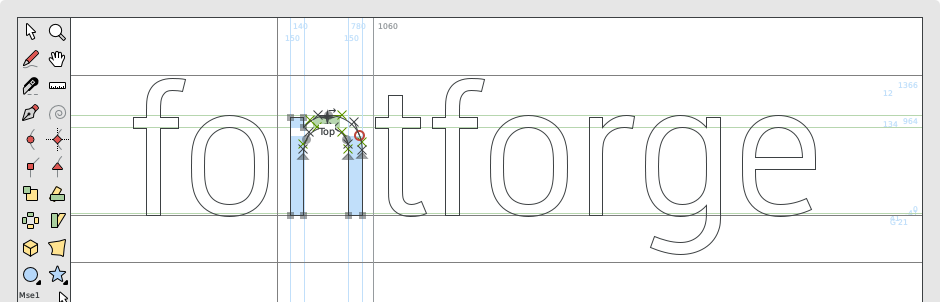
Official app preview
Quick facts
- What it does: creates and edits fonts. It opens, edits and converts TrueType, OpenType, WOFF, PostScript, SVG, bitmap and other font formats, and can extract fonts from PDFs.
- Price: free. Its site says "FontForge is a free and open source font editor". The project licence is GNU GPL version 3 or later. No price appears, so no rupee figure.
- Platforms: Windows, Mac and GNU/Linux, per its download page.
- Best for: hobbyists and designers who want to make a font, fix one, or convert a font to another format. It has a learning curve.
What it is
FontForge is an open-source font editor run by a community of volunteers. Its project page says it is libre software, free as in freedom: anyone can read the source code, change it, and share copies, with or without a fee. It was written from 2000 by George Williams and was known as PfaEdit until 2004, per the licence notes in its repository.
Is it free?
Yes, per the project. The home page says "FontForge is a free and open source font editor brought to you by a community of fellow type lovers". The licence file in its code repository says FontForge as a whole is under the GNU GPL, version 3 or any later version, with most older parts under the revised BSD licence. Donations are invited, not required.
What the pages list
- Open, edit and convert UFO, WOFF, TrueType, OpenType, PostScript, Multiple-Master, CFF, SVG, Mac formats (dfont, bin), bitmap formats (bdf, FON, NFNT) and its own SFD format.
- Extract fonts from PDF files.
- Scripting with Python, or its own legacy scripting language.
- Built-in error recovery (auto-save).
- Interface translated into many languages, including German, French, Spanish, Japanese, Russian, Chinese and others.
Good to know, per FontForge
- Releases are published for Windows, Mac and GNU/Linux on its download page and GitHub. The latest release on GitHub is tagged 20251009, published 9 October 2025.
- The site recommends new users start with its "Design With FontForge" tutorial before the main documentation.
- Help is via its mailing list and GitHub, per the site.
Our advice
- Before editing a font you got elsewhere, check its licence allows changes. Fonts have licences too. This is our advice, not the project's.
- Font design takes patience. Start with a small change, like fixing one letter, before a full typeface.
- Download from fontforge.org or its GitHub releases page only.
Privacy and data
- We found no privacy statement on the pages we read and make no claim about data. It is a desktop program that edits font files on your computer.
India
- No region limit appears on the pages we read. We did not test it from India.
Frequently asked questions
Is FontForge free?
Yes. Its site calls it free and open source, and the licence is GNU GPL version 3 or later.
What can I do with it?
Design a new font, edit an existing one, or convert between font formats like TrueType, OpenType and WOFF, per its features page.
Is it easy for beginners?
It is a full editor with a learning curve. The project points new users to its "Design With FontForge" tutorial first.
Sources: fontforge.org, Features, Project, Downloads, GitHub. Checked 21 October 2026.
Official homepage, platform downloads and GitHub releases rechecked 22 October 2026. Latest listed release remains 20251009, published 9 October 2025. Other statements retain their original source-check date. Original publication date is unchanged.