
Everything: free instant file search for Windows
Everything by voidtools is freeware that finds files and folders by name almost instantly on Windows. Its FAQ says it indexes names only and keeps its data local.
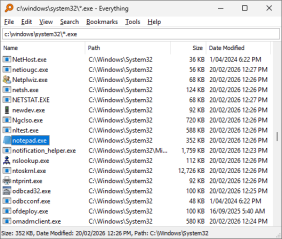
Official publisher artwork hosted by its publisher. Official source. Independent guide, not affiliated or sponsored. Artwork and trademarks belong to their owners.
Official app screenshot
What it is
Everything is a Windows search tool that finds files and folders by name almost instantly. Its FAQ says it "is a search engine that locates files and folders by filename instantly for Windows". Instead of waiting on a search, you see every file and folder at once and narrow the list as you type. It is not an AI tool. We included it as a free utility for finding things on a Windows PC.
Is it free?
Yes. The FAQ answers "Is Everything free?" with "Yes, Everything is Freeware. Please consider donating." The site lists an installer, a portable ZIP and a Lite installer. We saw no price or plan.
What you can do with it
- Fast indexing. The FAQ says it indexes only file and folder names, and a fresh Windows 11 install (about 250,000 files) takes about 5 seconds.
- Real-time updates. It monitors changes to your files. For NTFS drives it uses the NTFS USN Journal so changes are not missed while it is closed.
- Low resource use. The FAQ says about 35 MB of RAM for 250,000 files.
- Content search. It can search inside files with the content: function, but the FAQ says file content is not indexed, so this is slow.
What to watch out for
- Windows only. The FAQ lists Windows XP through Windows 11. There is no Mac or Linux version listed.
- Admin step for NTFS. The FAQ says NTFS indexing needs the Everything service or running it as administrator.
- Filenames, not contents. It finds files by name. Searching contents is slow, per the FAQ.
- Servers. The privacy page warns that starting an HTTP, FTP or ETP server in the app may give others access to private information. Leave those off unless you know why you need them.
- Not tested. We did not install it.
Privacy and data
- The privacy page says the Everything client keeps a cache of file and folder names in a local Everything.db file and does not send it anywhere.
- It says run history and search history are stored locally and can be turned off in Tools, then Options, then History.
- If you turn on Check for updates on startup, voidtools logs your IP address and your Everything version, kept for the current and previous month.
- The site logs IP address, page request and browser type for visits, kept for the current and previous month.
India
- It is free, so no rupee price is involved. The site mentions no country limits. We did not test it from India.
Frequently asked questions
Is Everything free?
Yes, per the FAQ: it is Freeware, with a request to consider donating.
Does it work on Mac?
The FAQ lists Windows versions only.
Does it send my file list anywhere?
The privacy page says the file name cache stays local and is not sent anywhere.
Sources: voidtools home page, FAQ, Privacy. Checked 17 October 2026.
Independent guide, not affiliated.
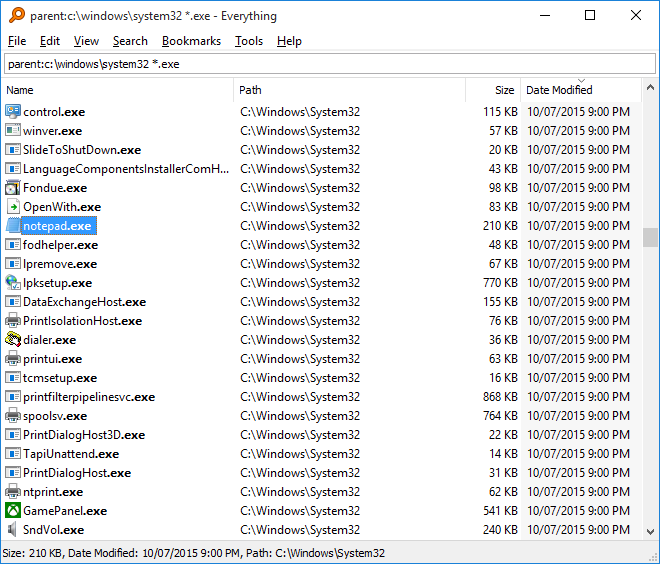
Scoped recheck 23 October 2026: the FAQ still says Everything "is a search engine that locates files and folders by filename instantly for Windows", is Freeware, indexes about 250,000 files in about 5 seconds using about 35 MB of RAM, uses the NTFS USN Journal, runs on Windows XP through 11, and needs its service or administrator rights for NTFS indexing; the privacy page still says the name cache and histories stay local and that update checks and site visits are logged for the current and previous month. Added the project's own search-window screenshot from its support pages. No fact changes. Other claims retain their original source-check date. Original publication date unchanged.