
draw.io (diagrams.net): free diagram maker, no sign-up, with privacy details
draw.io (diagrams.net) makes flowcharts and diagrams online or on desktop. Its homepage says free forever with no sign-up.
See the interface
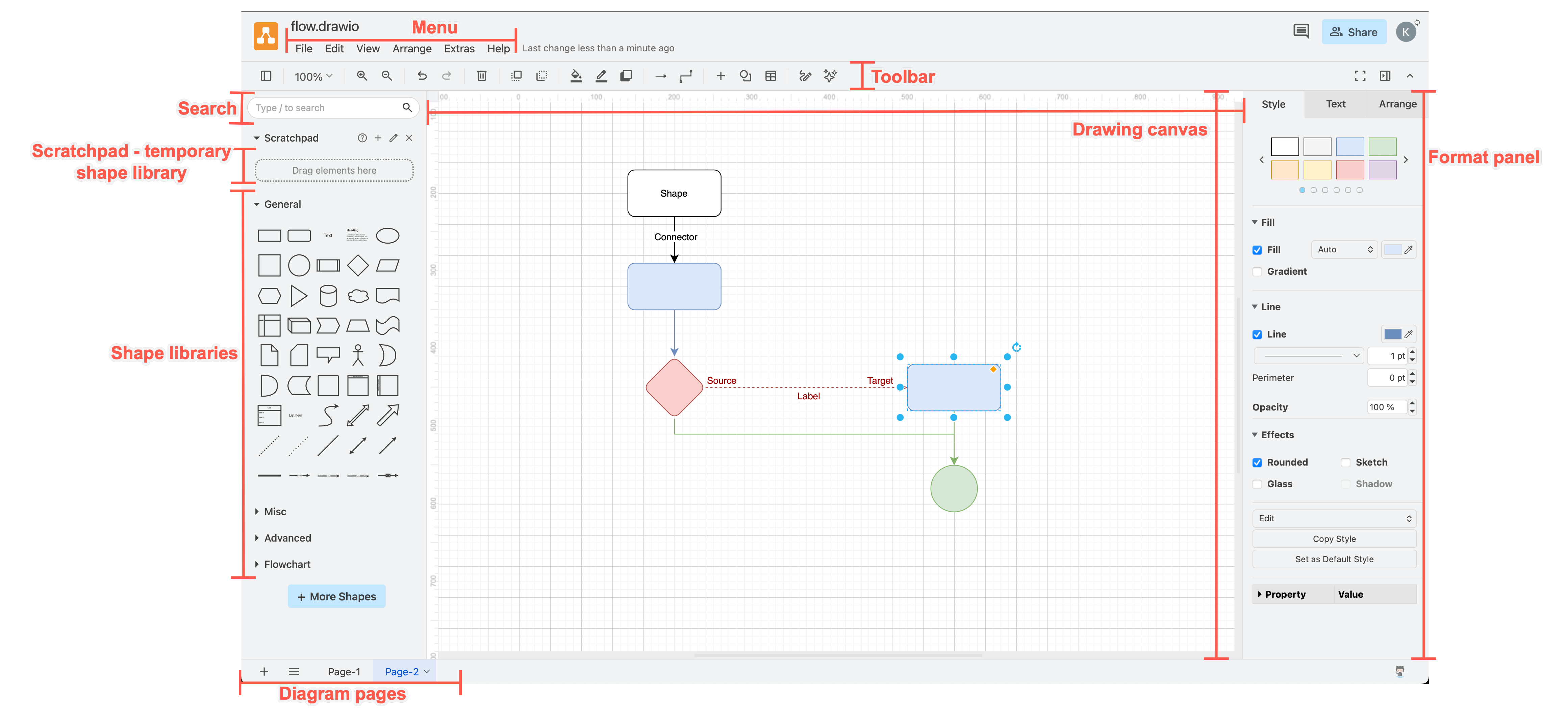
What it is
draw.io, also called diagrams.net, is a diagramming tool for flowcharts, org charts, network diagrams and similar drawings. Its homepage says you can "bring your storage to our online tool, or save locally with the desktop app", and shows "Free forever • No sign-up required • No lock-in". It is not an AI tool, though its security page mentions a diagram-generation feature (see Privacy below).
Is it free?
Yes, per the vendor. The homepage says "Free forever", "No sign-up required" and "No Paywalls", and that the source code is Apache 2.0 licensed. The GitHub repo jgraph/drawio lists Apache-2.0. The separate desktop app repo, jgraph/drawio-desktop, lists GPL-3.0 on GitHub. We saw no price on the pages we read.
Ways to use it, per draw.io
- Online: the app at app.diagrams.net. You choose where files are saved: your cloud storage, your device, GitHub or another integration. The security page names these.
- Desktop app: for Windows, macOS and Linux, per the security page. The latest GitHub release when we checked was v32.5.5, dated 18 October 2026, with Windows installer, MSI, zip and macOS DMG files.
- Export: the homepage says you can export to SVG, PNG or PDF, or keep diagrams editable.
- Collaboration varies: the homepage advertises shared cursors, but the public GitHub repository says this version does not support real-time collaborative editing. Check the specific app or integration rather than assuming every version supports it.
- Integrations: it lists Google Drive, Microsoft OneDrive and SharePoint, Confluence and Jira, and GitHub.
Privacy and data, per draw.io's security page
- It says your diagram data "only lives in your browser on your local device while you are working on it", and is stored where you choose when you save, never on its servers.
- It says exporting to PDF, or to an image in an outdated browser, sends the diagram to its servers for conversion, and the data is deleted as soon as the conversion is delivered.
- It says it has no cookies, ads, analytics or tracking beacons, on the website or the apps.
- The online app needs your IP address and limited device information. These logs are overwritten every 10 days, per the page. Error reports contain no diagram data, per the page.
- For AI diagram generation, the page says only the text prompts you enter are sent, not your diagram data.
- The page recommends the desktop app for a fully offline setup.
What to watch out for (our advice)
- If you save to the browser or a cloud drive, make sure you know where the file went.
- The page says nothing about limits on diagram size, and we did not test any.
India
- No region limit appears on the pages we read. No price applies.
Media and key links rechecked 22 October 2026: official homepage, editor documentation, security page and source repository. The conflicting collaboration descriptions are now identified above. Other release and platform details retain their original check date. We did not run the editor.
Frequently asked questions
Is draw.io free?
The homepage says free forever with no sign-up.
Does it work offline?
The security page says the desktop app is for offline use.
Is it open source?
The code is Apache 2.0 per the homepage and GitHub. The desktop repo shows GPL-3.0.
Sources: drawio.com, security page, jgraph/drawio, jgraph/drawio-desktop. Checked 19 October 2026.
Independent guide, not affiliated.