
Ditto: open-source clipboard history for Windows
Ditto keeps a history of what you copy on Windows. Its README says it needs no login, no cloud and has no telemetry.
Official publisher logo hosted by its publisher. Official source. Independent guide, not affiliated or sponsored. Artwork and trademarks belong to their owners.
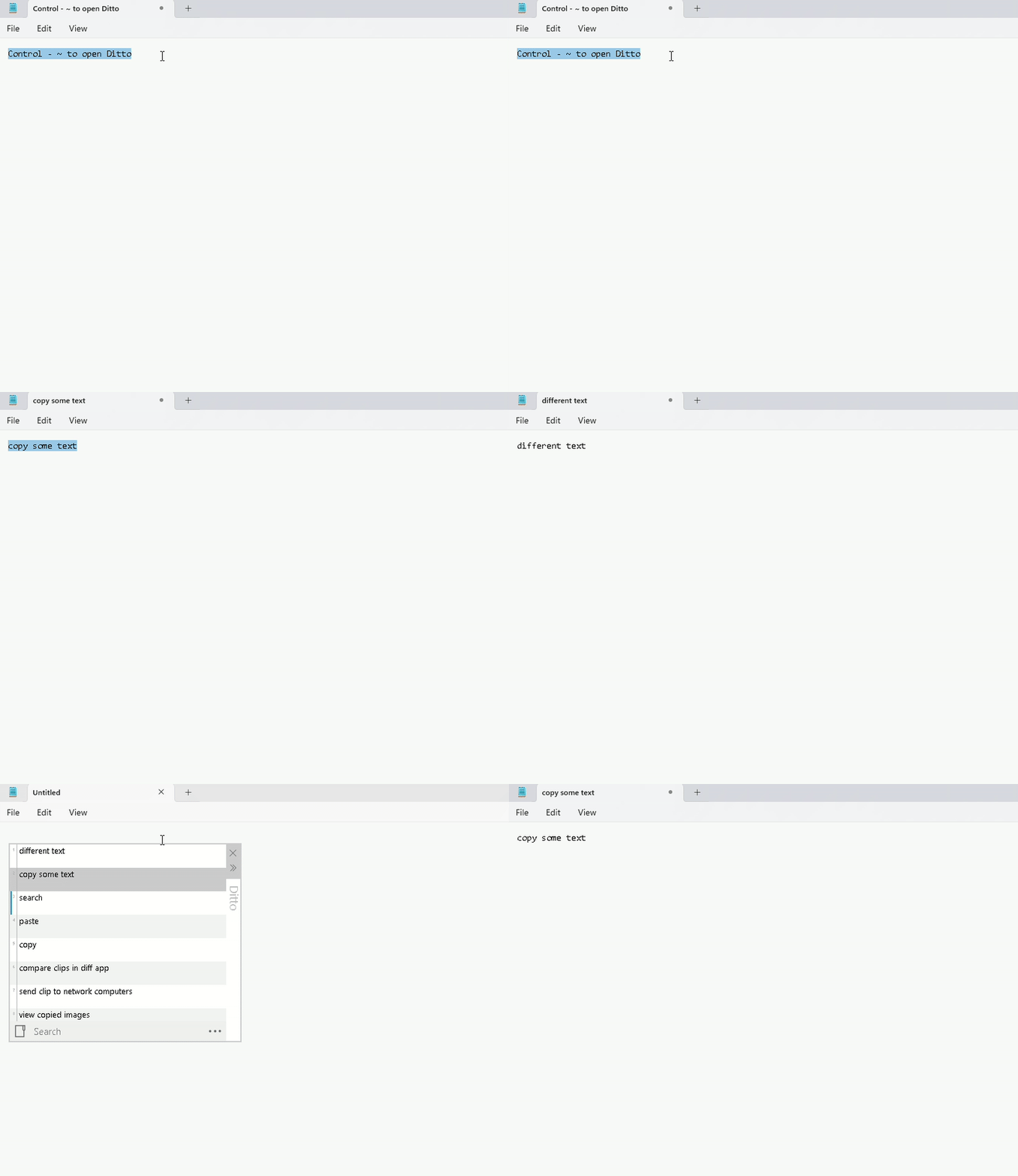
Official app screenshot
What it is
Ditto adds a clipboard history to Windows. The project's README calls it "an extension to the standard windows clipboard". It saves each item you copy, so you can paste an older one later. It says it can keep text, images, HTML and custom formats. It is not an AI tool.
Is it free?
We could not find a page that says the word "free" for Ditto. What we did see: the README has a plain Installer download and a Donate link, and GitHub lists the license as GNU General Public License v3.0 (GPL-3.0). We saw no price, account or sign-up. The project's official homepage, ditto-cp.sourceforge.io, would not load for us, so we rely on the GitHub page.
How it works, per the README
- Run Ditto.
- Copy things as usual, for example with Ctrl+C.
- Open Ditto from its system tray icon, or press its hot key. The README says the default is Ctrl + ` (hold Ctrl and press the back-quote key).
- Double-click an item, or press Enter, to paste it into the window you were in.
How to get it
- The README lists six options: an installer, a portable version, Chocolatey, Chocolatey portable, Winget, and a Windows Store app.
- The GitHub release we saw listed was 3.25.113.0, published 27 September 2025. The repository showed activity on 1 October 2026. We did not check which download is the newest on the Store or other routes.
- It is for Windows. We saw no Mac or Linux version.
What to watch out for
- A clipboard history can hold sensitive things. Anything you copy, such as a password or a card number, may be saved. We did not read how Ditto stores items, how long it keeps them, or whether it can exclude some apps. Check its settings and the wiki before relying on it. That advice is ours.
- Not tested. We did not install it or check which Windows versions it supports.
Privacy and data
The README has a "Local First" section that says: "No login", "No cloud", "No telemetry". That is the project's statement. We did not test it. It also says Windows binaries get free code signing from SignPath.io, with the certificate from SignPath Foundation. We did not check whether it has any optional network features.
India
- We saw no region limit and no price. We did not test downloads from India.
Frequently asked questions
Is Ditto free?
No page we read says "free". GitHub lists GPL-3.0, and there is a Donate link.
Does it need an account or the cloud?
The README says no login, no cloud and no telemetry.
Does it work on Mac?
We saw only Windows options.
Sources: Ditto on GitHub. Checked 18 October 2026.
Independent guide, not affiliated.
Scoped recheck 23 October 2026: GitHub README and releases re-read. The 'No login, no cloud, no telemetry' lines, the Ctrl+` default hotkey, the six install options (installer, portable, Chocolatey, Chocolatey portable, Winget, Windows Store) and the GPL-3.0 licence are unchanged; the latest release is still 3.25.113.0 (27 September 2025) and the repository was last active 1 October 2026. The official homepage ditto-cp.sourceforge.io still fails to load from here, so the GitHub page remains the source. Links checked.