Dillinger: preview Markdown and export a readable page
Markdown is convenient to write, but raw punctuation is not always what you want someone to read. Dillinger gives you an editor and live preview, then exports the document. We imported a fictional handoff note, downloaded styled HTML and reopened the actual file to check its formatting. The important privacy detail: its policy says HTML and PDF exports are processed on the server.
Quick facts
- Cost/account: the official site says the editor is free, with no paid tiers, signup or credit card. Our import and styled-HTML test requested no account or payment.
- Tested: a Markdown file with two headings, a bold word, two list items and a two-column table with two data rows.
- Actual result: Export as > Styled HTML downloaded sample.html. Reopening it showed the intended content and formatting.
- Storage: the privacy policy says drafts persist in browser localStorage. That is not a separate backup or guaranteed cross-device sync.
- Export privacy: the policy, updated 10 May 2026, says HTML/PDF exports send Markdown to its server for transient processing.
- Scope: no PDF, cloud integration, offline, reload-recovery, mobile or large-document test. No India-specific availability guarantee established.
Why use it beside a chatbot?
A chatbot can draft Markdown. Dillinger gives you a dedicated place to edit that source, see the rendered page beside it and export the actual document. That helps catch a malformed list or table before you share it. This is a writing and formatting workflow, not an AI accuracy check or a claim that the editor improves the facts.
Our styled-HTML check
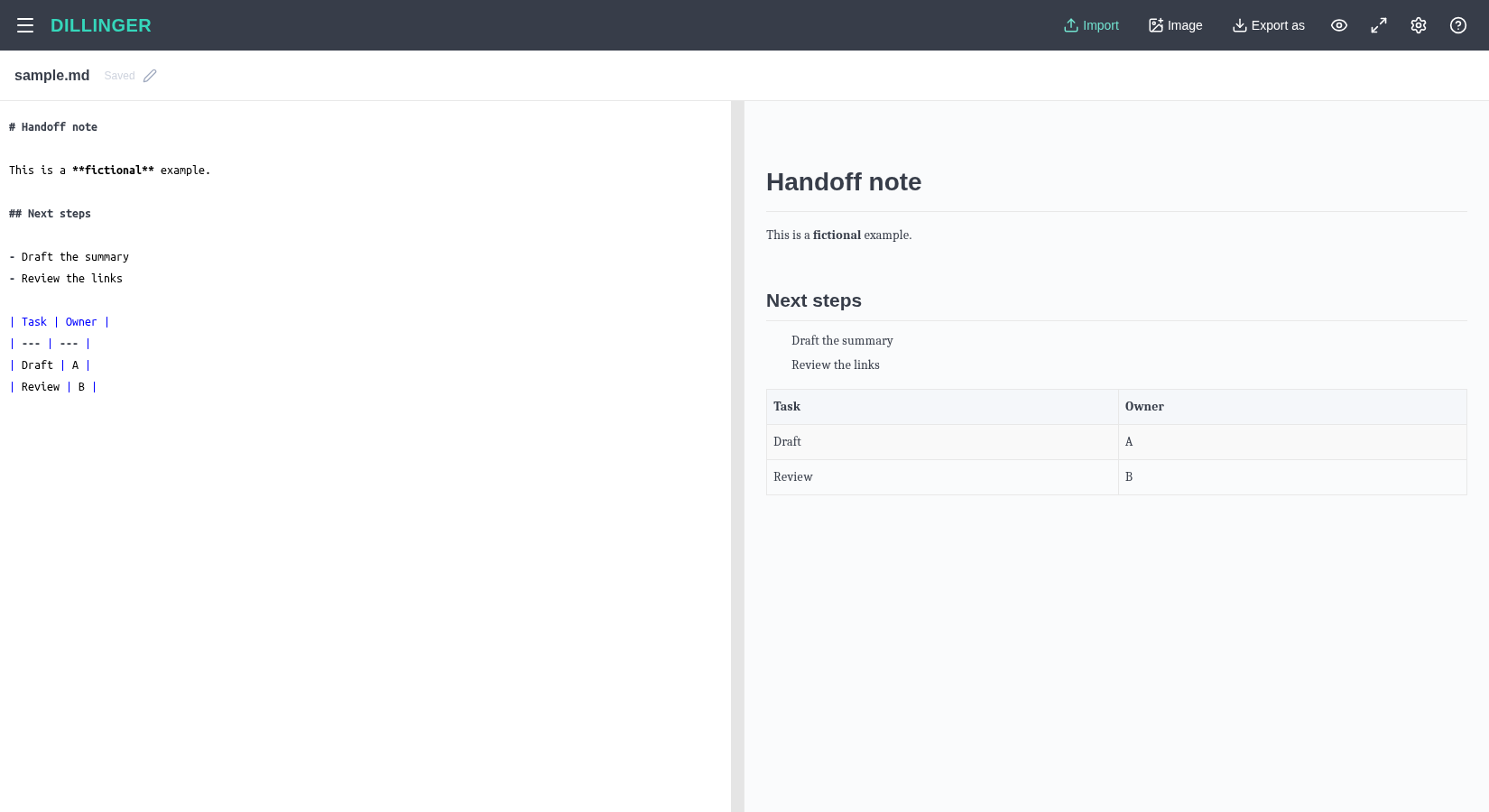
On 29 October 2026 we used Import to open a fictional sample.md. The note contained Handoff note and Next steps headings, the word fictional in bold, Draft the summary and Review the links as list items, and a Task/Owner table with Draft/A and Review/B.
We checked the live preview, opened Export as and chose Styled HTML. The browser downloaded sample.html. We reopened that actual file in a browser and inspected the page. Both headings, the bold word, the two bullet points, table headers and all four data cells were present. We also checked those elements in the downloaded HTML rather than relying only on the preview.
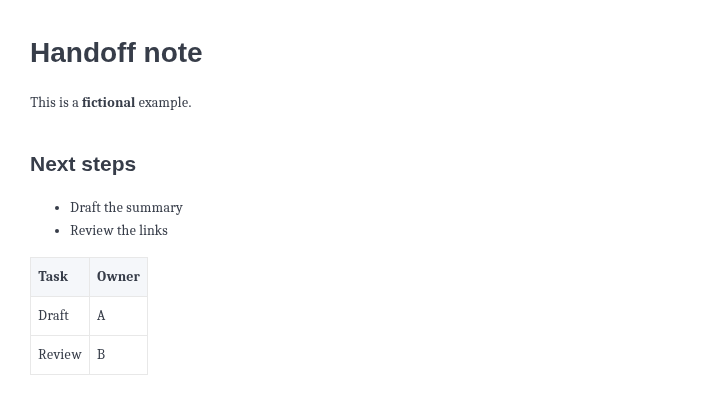
The file contained inline page styling plus an external KaTeX CSS import. Our note did not use maths. We did not establish that the export is fully self-contained or works offline, and we did not test rendering in an email client, CMS or office application.
Try a non-sensitive note
- Open Dillinger. Start with fictional content, especially when checking an export route.
- Use Import to select a Markdown file, or write in the editor. Our test used file import rather than a connected cloud account.
- Compare source and preview. Check heading order, bold text, list boundaries and every table row.
- Keep a copy of the Markdown source. Browser autosave is useful, but clearing browser storage can remove drafts according to the policy.
- Choose Export as > Styled HTML. Reopen the download and inspect it in the application where it will be used before sharing.
Importing a file and linking a cloud account are different actions. We did not link Google Drive, GitHub, Dropbox, OneDrive or Bitbucket, and none is needed for the route tested here.
Local drafts, server exports
The official privacy policy says documents and editor settings live in your browser's localStorage and that it does not persist document contents on its servers. It separately states that HTML and PDF exports are generated on demand by the server, with submitted Markdown processed transiently and not retained after the response.
Those statements describe different stages. Do not turn browser editing into a claim that an HTML export never leaves the device. We used invented content and did not audit requests, retention, browser storage or security. Use an approved workflow for confidential notes.
The policy also describes cloud-provider connections, but we did not authorize or test any. A document visible on one browser is not proof that it has been backed up or synced elsewhere.
What this test does not establish
- No PDF export or print-quality check. A working styled HTML download does not prove PDF will work.
- No offline operation or recovery after a closed tab, browser reset or device change. The site advertises offline editing, but we did not disconnect the network.
- No maths, images, footnotes, code highlighting, accessibility audit, complex tables or large-file benchmark.
- No safe-HTML or sanitization audit. Do not treat a formatting preview as proof that arbitrary imported content is safe.