
digiKam: free photo manager to organize, tag and search your photos
digiKam lets you organize photos and videos with albums, tags and search on your own computer. Its site says it has no telemetry and runs its AI tools locally.
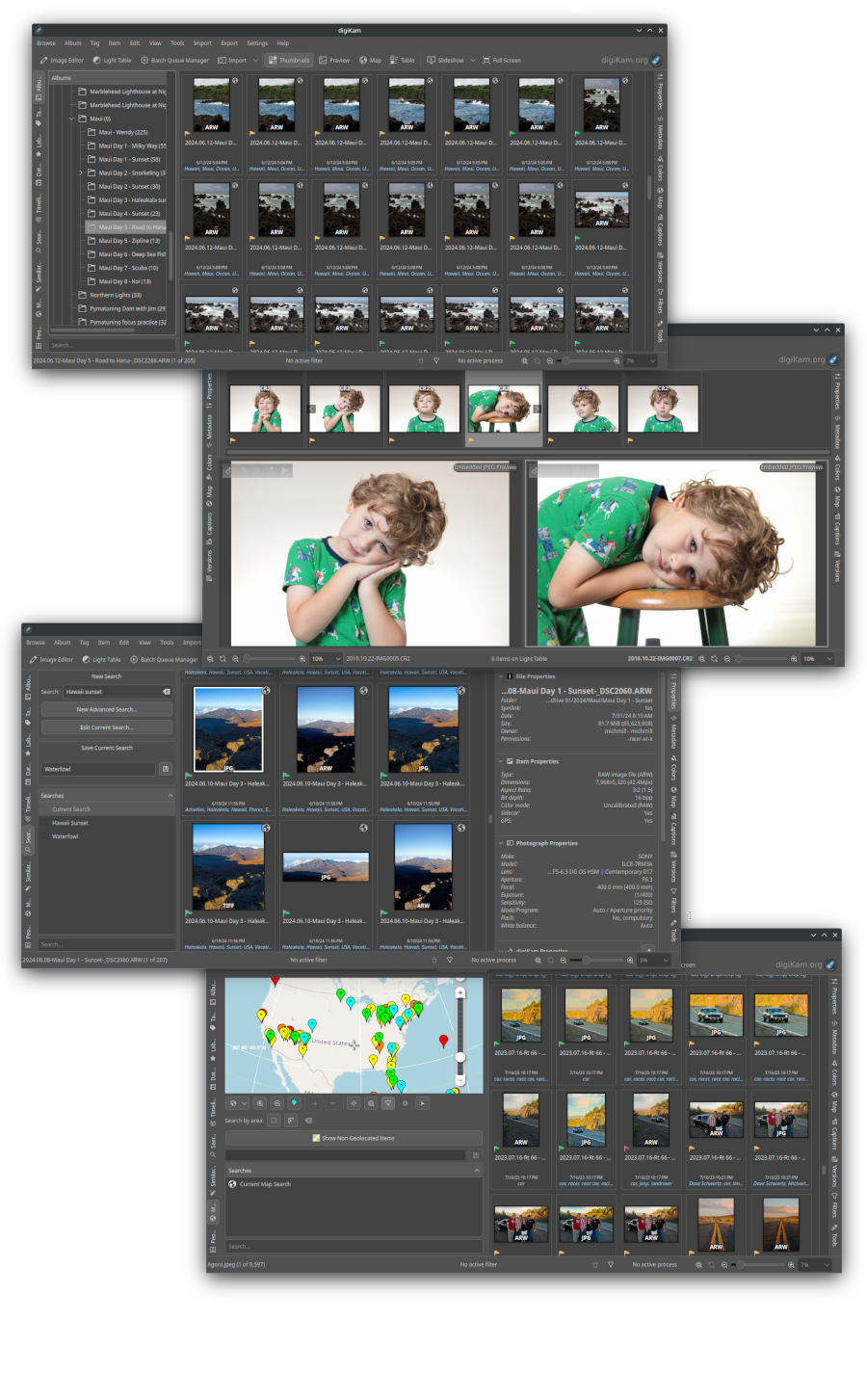
Official interface preview
What it is
digiKam is a photo manager for your own computer. Its site calls it a "dynamic open-source digital asset manager and image editor". You import photos and videos, sort them into albums, add tags and ratings, search them and do basic edits. It is a desktop app, not a website. Parts of it use AI, and the site lists AI tagging, face recognition and natural-language search.
Is it free?
The home page lists "Free and Open Source" and says digiKam "is an open-source application that respects your freedom and privacy". The download page we read showed no price, account or sign-up. We did not find the software license name (such as GPL) on the pages we read, so we do not state one.
What it does, per its site
- Import and organize: bring in photos, Raw files and videos from a camera, SD card or USB disk. Sort with albums, tags, ratings and labels.
- Search: by tags, labels, ratings, date, location and metadata. The site also lists an "LLM engine to parse natural language queries" and says a natural language search feature was added in 2026.
- Faces and map: it lists face detection and tagging, and a map view of where photos were taken.
- Raw files: it says over one thousand Raw formats are supported through LibRaw.
- Editing: colour, noise, crop, rotate, sharpen, curves, panorama stitching and lens correction.
- Size: it says it can handle libraries of more than 100,000 images.
- Its About page rates the skill level as "Easy". That is the site's own label. We did not test it.
How to get it
- Go to digikam.org/download.
- The page lists Windows (10 or later, 64-bit), macOS (Apple Silicon on 11.3 or later, and Intel on 10.15 or later) and a Linux AppImage. Its home page announced version 9.1.0 as the stable release.
- The page says its files are signed with GnuPG. It also lists weekly pre-release snapshots "for testing purposes only". Our advice: use the stable release, not a snapshot.
What to watch out for
- It manages copies of your library in a database. The home page says it can store its database locally or on remote servers. Our advice: keep a separate backup of your original photos before you start tagging and editing.
- Large setup. It has many tools. We did not test how easy it is for a first-time user.
- Optional plugins. The About page says some plugins, such as export to web services, need an internet connection and that you should check the privacy policy of those services.
Privacy and data
The About page says, under "We Respect your Works":
- "No Telemetry: The application does not include any tracking, analytics, or telemetry features."
- "No Data Sharing: We do not collect, store, or transmit any of your personal data over the Internet."
- "No Cloud Data: All AI-powered tools run only on your computer."
These are the project's statements. We did not test them.
India
- We saw no region limit and no price. We did not test downloads from India.
Frequently asked questions
Is digiKam free?
Its site lists it as free and open source and shows no price.
Does it work on Windows, Mac and Linux?
The download page lists all three.
Does its AI send my photos online?
The About page says its AI tools run only on your computer and that it does not transmit personal data over the Internet.
Sources: Home, About, Download. Checked 18 October 2026.
Independent guide, not affiliated.
Official media, stable version 9.1.0, download platforms and project privacy statements rechecked on 22 October 2026. The screenshot montage now has a full-size link instead of being squeezed into a small cover. Original publication and other source-check dates are unchanged.