darktable 5.6: open-source raw photo editor with optional local AI
darktable 5.6 adds optional AI masking, denoise and upscale to its open-source raw photo editor. The project says AI is off by default, runs locally and has no telemetry.
Official publisher logo hosted by its publisher. Official source. Independent guide, not affiliated or sponsored. Artwork and trademarks belong to their owners.
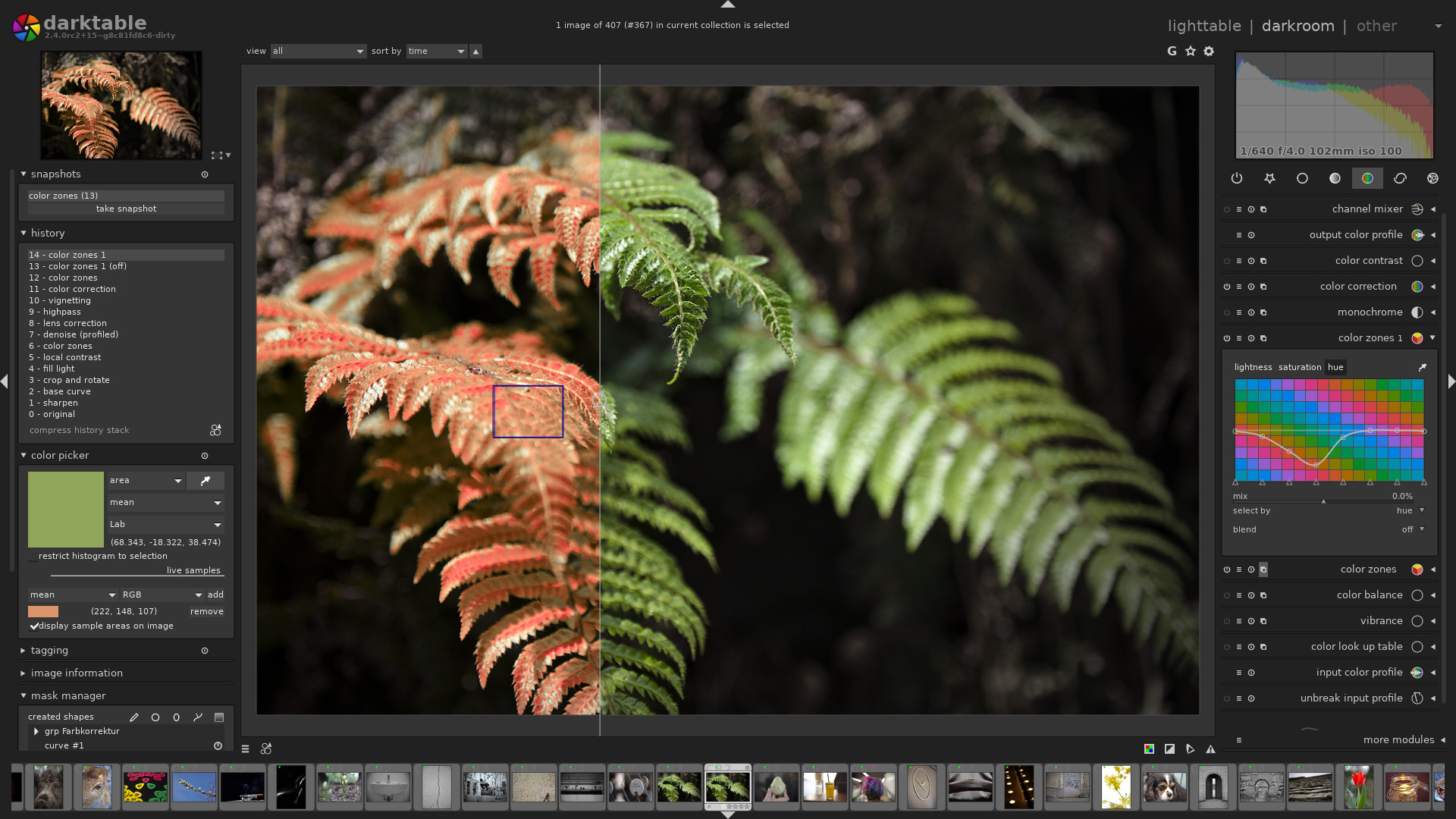
Official app screenshot
What it is
darktable is a photo program for people who shoot raw files. Its website calls it "an open source photography workflow application and raw developer", where you manage your photos and edit raw images without changing the originals. Version 5.6, released in June 2026, added its first AI tools: a click-to-select object mask and a "neural restore" module for noise removal and upscaling. Darktable says these run on your own computer.
Is it free?
Darktable says it is open source, released under the GNU General Public License version 3 or later. We saw no price, account or paid version on the pages we read. We did not find an official page that uses the words "free of charge", so we are quoting the open-source licence rather than a price promise. The install page offers downloads for Windows, macOS and Linux.
What you can do with it
- Edit raw photos without changing the original. The home page says editing is non-destructive and your original image is never modified.
- AI object mask: the 5.6 release post says one click makes a mask around a subject, which you can then edit like a normal drawn shape.
- AI denoise and upscale: the same post describes a neural restore module that removes noise and can upscale small images 2x or 4x.
- Manage your photo library in a database with a zoomable lighttable view, and shoot tethered to a camera, which the About page says very few open-source programs can do.
What to watch out for
- The AI is off by default. The manual says AI features are opt-in. You switch them on in preferences and download models when you ask for them.
- It is not a simple app. Darktable's own FAQ says it is not a direct replacement for Lightroom and that "the initial learning curve can be steep".
- AI is narrow. Darktable says it uses small task-specific models only, with no sky replacement, inserted objects or other generative changes. The manual also says models can look worse than classical tools on unusual images.
- macOS and Flatpak limits. The install page says the macOS builds need macOS 13.5 or newer and there are no official releases for Intel Macs. The FAQ says the Flatpak version does not include the AI features as of September 2026.
- Not every camera file works. The FAQ points to a camera support page.
Privacy and data
- Local AI: darktable's manual says there is no cloud inference, no telemetry and no analytics for AI features, no autonomous edits and no automatic model updates. It says nothing about your image is sent off your device.
- Model downloads: models are downloaded from a model repository only when you ask in preferences.
- Your files stay on your computer. The FAQ says the databases and settings are stored in a local folder. We did not run the program to check.
- We did not find a separate privacy policy page.
India
- The downloads are ordinary desktop installers with no region limit mentioned on the pages we read. No rupee price is involved.
Frequently asked questions
Is darktable free?
It is open source under GPL v3 or later, and we saw no price or paid version. We did not find the exact words "free of charge" on an official page.
Does the AI send my photos online?
Darktable says no. Its manual says there is no cloud inference and nothing about your image leaves your device.
Is it easy for beginners?
Darktable's FAQ says the learning curve can be steep.
Sources: darktable, About, Install, FAQ, Meet the new AI tools in darktable 5.6, Manual: AI overview. Checked 16 October 2026.
No darktable logo is used in this article. Independent guide, not affiliated.
Scoped recheck 23 October 2026: home page, install page, FAQ and release posts re-read. The 5.6 series is current; the latest patch release is 5.6.2 (October 2026). The FAQ still says the Flatpak release does not include the AI features as of September 2026, and macOS builds still need macOS 13.5 or newer with no official Intel Mac releases. Free-of-charge wording still rests on the GPL-3.0-or-later licence rather than a price promise. Links checked.