
Bulk Rename Utility: free file renamer for Windows (personal use)
Official publisher logo hosted by its publisher. Official source. Independent guide, not affiliated or sponsored. Artwork and trademarks belong to their owners.
Bulk Rename Utility says it is free of charge for personal, private use at home, and needs a commercial licence for business use.
Official app screenshot
What it is
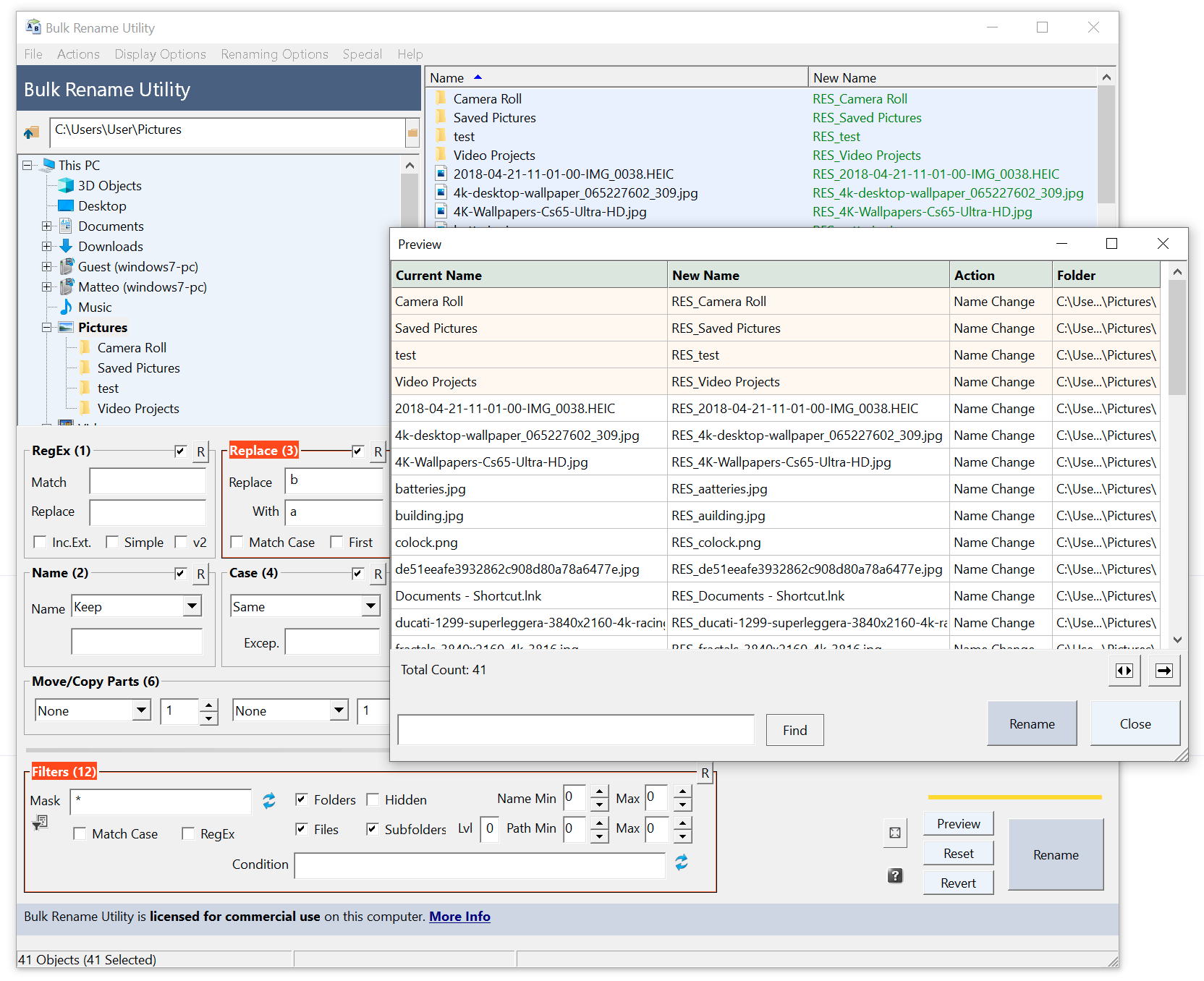
Bulk Rename Utility is a Windows program that renames many files and folders at once. Its site calls it "the free file renaming utility for Windows" and says you can add date and time stamps, replace numbers, insert text, convert case, add auto-numbers and process folders and sub-folders. It shows a preview before renaming.
Is it free?
For home use, yes, per the vendor. The site says it is "completely free of charge for personal, private use, at home". It also says that using it within a business, company or commercial environment needs a commercial licence for each computer. It mentions home and academic licences that unlock all features, including JavaScript renaming. We saw no price on the pages we read, so there is nothing to convert to rupees. This is not an open source tool.
What the site lists
- Rename photos from EXIF data such as "Date Picture Taken", and MP3 files from ID3 tags.
- Rename using Windows File Properties such as video length, width and height.
- Change creation and modification time stamps.
- Remove or change file extensions.
- A free command-line version, Bulk Rename Command, for scheduled or repeated jobs.
Good to know, per the vendor
- The download page lists version 4.1.0.1, released 18 November 2025, for Windows 11, 10 (including Windows on ARM), 8 and 7, and Windows Server editions.
- The installer holds both 32-bit and 64-bit versions. A no-installer ZIP (portable) is also offered.
- The download page says JavaScript must be enabled to download.
- It does not run on Mac or Linux, as far as the pages say.
Our advice
- Test on a copy of a few files first. Check the preview column before you press Rename. We did not test undo.
- If you use it for work, read the vendor's licence terms first.
- Download only from bulkrenameutility.co.uk.
Privacy and data
- The vendor's privacy policy covers its website. It says it will not sell or pass on your email address or data to third parties, and that the site uses cookies and Google Analytics.
- The policy we read does not describe what the program itself collects, so we make no claim on that.
India
- No region limit appears on the pages we read. We did not test it from India.
Frequently asked questions
Is Bulk Rename Utility free?
Yes for personal, private use at home, per the vendor. Business use needs a commercial licence.
Can it rename photos by date taken?
The site says it can use EXIF data such as "Date Picture Taken".
Does it work on Mac?
The pages we read list Windows only.
Sources: bulkrenameutility.co.uk, Download, Privacy Policy. Checked 20 October 2026.
Scoped recheck 23 October 2026: official website and download page re-read. Version 4.1.0.1 (released 18 November 2025) is still current; the 'free of charge for personal, private use, at home' line and the commercial-licence requirement for business use are unchanged; Windows 11, 10 including ARM, 8, 7 and Server editions are still listed, and the free Bulk Rename Command tool is at version 1.3.3.0. Links checked.