BitChord: a free YouTube Music client for Android, with lyrics
BitChord is a free, open-source music player for Android that plays YouTube Music with an Apple Music-style look and word-by-word synced lyrics. AiCoN tried basic playback and synced lyrics. Sign-in and advanced features were not independently verified. This guide reports what BitChord's own repository says, and one claim on its feature list that needs reading carefully: "lossless".
Quick facts
- BitChord is free and open source under the GPL-3.0 licence. It is built by an independent developer and is not affiliated with Google or YouTube Music, per its README disclaimer.
- It is not on Google Play. The README says to download the signed APK from the GitHub Releases page. On 25 October 2026 the latest release was v1.8.1, published 19 October 2026.
- Google sign-in is an option. Per the README it is "for personalized content", and BitChord's source shows the login happens on accounts.google.com inside the app. We did not test sign-in ourselves.
- "Hi-Res lossless audio" on the README means FLAC/ALAC "from a configured module source, with YouTube Music as fallback". Normal YouTube Music playback in BitChord is not lossless, and we found no module source shipped by default.
- Word-synced lyrics come from several providers listed in the README, so coverage depends on the song.
- BitChord is not a Google product, and YouTube's terms restrict using the service through unapproved means. Whether an unofficial client is a risk for your account is your call. See "Before you install".
- Android only for the phone app (minimum Android 8.0, API 26). The project also lists a TV app and desktop builds.
Why use it over the YouTube Music app
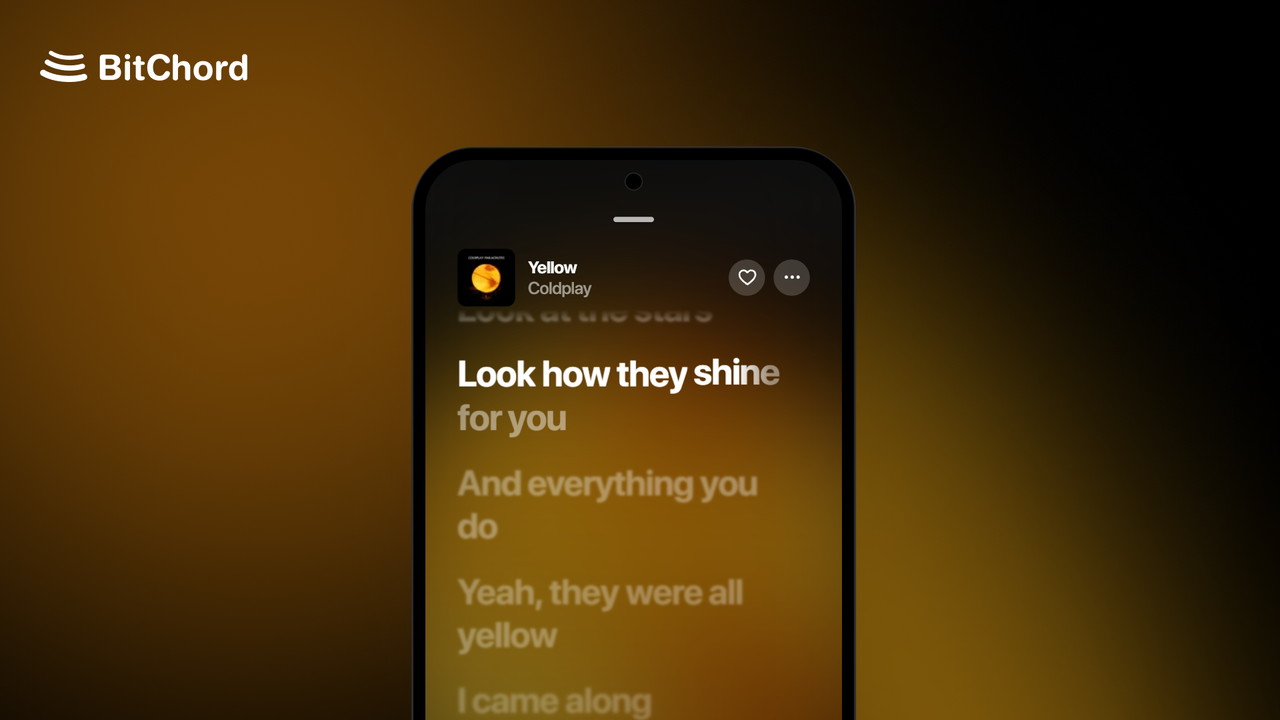
Three things stand out on the feature list. In our basic trial, playback and synced lyrics worked and the interface looked as described. The interface follows Apple Music, with artwork-driven colours and a frosted-glass bar. Lyrics highlight word by word. The settings go further than the stock app, with separate quality limits for Wi-Fi and mobile data, crossfade from 0 to 12 seconds, a sleep timer, playback speed and a "stats for nerds" panel showing codec and sample rate.
An Android Police review published 15 October 2026 describes the same app as usable "with or without a Google account", and the reviewer moved over from YouTube Music for the ad-free interface. That is the reviewer's experience. BitChord's README itself does not promise ad blocking and says it "does not guarantee permanent bypasses".
What "lossless" means here
This is the part to read twice. YouTube Music does not stream lossless audio, and BitChord does not change that. The README's wording is that lossless is "FLAC/ALAC from a configured module source, with YouTube Music as fallback". A module source is a server you add yourself in settings. BitChord's code seeds YouTube as the only built-in source; a JioSaavn source is built in but switched off by default, and the code comment says matches there can pick the wrong recording.
So installing BitChord and signing in gives you YouTube Music audio. Lossless is possible only if you add a source that serves it, and that source is outside BitChord's control. We did not test any module source. If you do add one, check that it is legal where you live.
Sign-in and your data
Per BitChord's source code, the Google login is a page loaded inside the app, and the resulting session is kept on the phone. The code stores it in Android's encrypted preferences, and falls back to a plain-text preferences file on devices where the Android Keystore cannot be used. The app's backup rules exclude both files from Android cloud backup and device transfer. This is what the code says. We did not audit the released APK, and we could not confirm that the APK matches the published source.
Two practical points. Signing out in BitChord also disconnects its Discord and Spotify links, per the v1.8.1 notes. And because it is an unofficial client, you may prefer a secondary Google account.
Before you install
- Download only from the official Releases page linked below. Sideloading means Android asks you to allow "Install unknown apps" for the browser or file manager you use.
- Pick the APK for your phone. Most recent phones use the arm64-v8a build (about 68 MB for v1.8.1). The universal APK is about 171 MB.
- The README disclaimer puts responsibility for following YouTube's terms on you. YouTube's terms (effective 15 December 2023) bar accessing the service by automated means without written permission, and BitChord's disclaimer says it is for "personal research, educational, and fair-use purposes".
- Open-source code can be read by anyone, but that does not prove any one APK is safe. We did not scan or run-test the release file.
What we did not do
This is mainly a source-and-documents guide. Our trial covered basic playback and synced lyrics only. We did not independently test sign-in, playlist or liked-song access, offline downloads, audio quality or any lossless source, and we did not measure battery use. Distribution: BitChord is offered as a direct download from its GitHub Releases page. We make no claim about availability beyond that.
Sources checked 25 October 2026: the BitChord repository (README, source code, release notes), YouTube's terms, and Android Police.