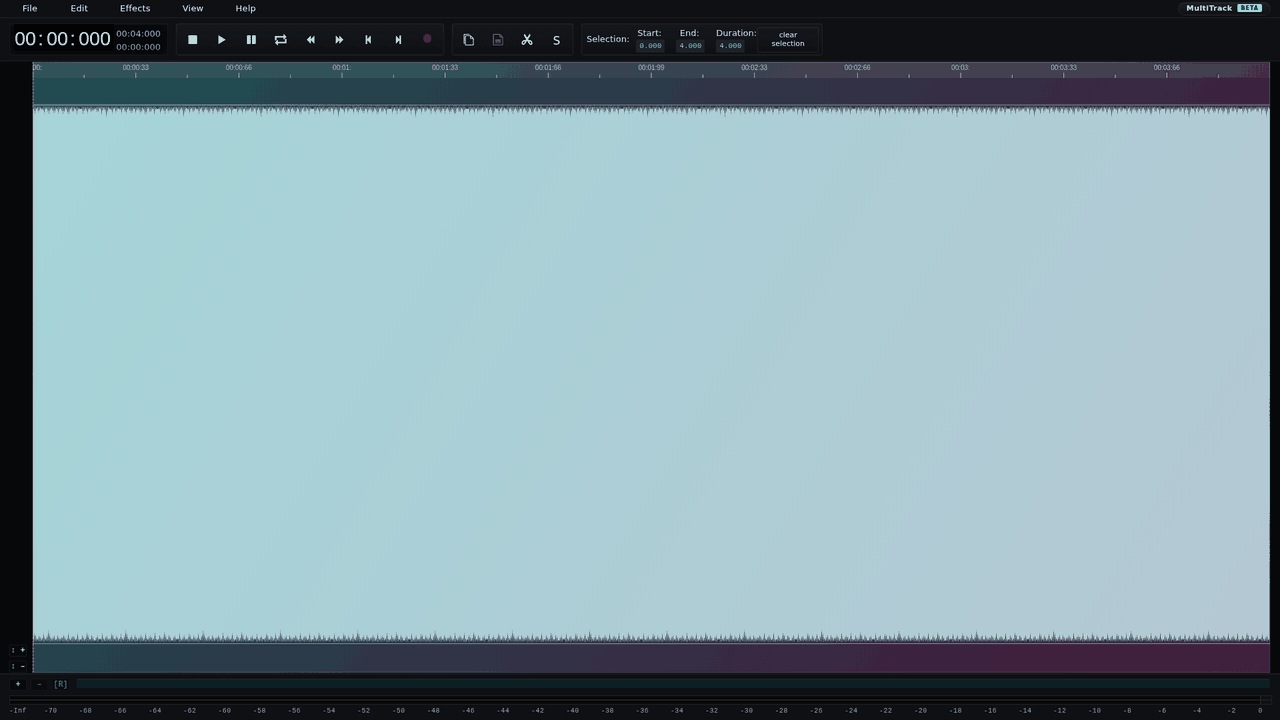
AudioMass: adjust a quiet clip and export it
Need to turn up an existing clip rather than generate a new one? AudioMass is a browser waveform editor with gain, fades, trimming and normalization. We checked one narrow job: increase the peak of a quiet synthetic WAV, export it and inspect the actual downloaded file.
Quick facts
- Cost/account: the official project describes a free, open-source browser audio editor. Our import, normalization and WAV download requested no account, card or payment. No paid-plan claim or universal file-size allowance is implied.
- Tested: four seconds of mono 440 Hz synthetic tone, 44,100 Hz sample rate and 16-bit PCM. Peak normalization to 90%, then whole-file mono 16-bit WAV export.
- Result: the downloaded WAV kept its four-second duration and 44,100 Hz mono format. Its peak rose from about 20% to about 90% of full scale.
- Processing: the official About page says it runs in the browser with no backend. We did not audit network traffic, retention or privacy, or test offline use.
- India: no India-specific availability statement established. This was not an India-network or phone test.
Why use it beside a chatbot?
A chatbot can explain decibels or suggest edits. A waveform editor changes the actual audio file and exports a copy you can inspect. AudioMass is an ordinary editor, not an AI voice generator. The useful job here is a quick level adjustment while keeping the original recording rather than asking for regenerated audio.
Our downloaded-WAV check
On 28 October 2026 we made a four-second test tone, not a voice recording, then loaded it through File > Load from Computer on the real website. Under Effects > Normalize we kept Peak mode, changed Normalize to 90% and applied it. We exported the whole file as 44,100 Hz, mono, 16-bit WAV.
- Input: 176,400 frames, four seconds, peak 6,553 on the 16-bit scale, about -13.98 dBFS.
- Downloaded output: 176,400 frames, four seconds, peak 29,490, about -0.92 dBFS.
- Both files were mono PCM WAV at 44,100 Hz with two bytes per sample. The download completed as aicon-normalized.wav.
That confirms a level change and export for this artificial sample. We did not assess speech intelligibility, music quality, noise removal, perceived loudness or distortion by listening. It is not a podcast-quality verdict.
Try the same narrow route
- Open AudioMass. If the welcome message appears, read it and choose OK.
- Choose File > Load from Computer and use a non-sensitive test copy. Keep the original.
- For the route we tested, choose Effects > Normalize, select Peak, set 90% and Apply. Check whether a selection is active: effects may target that selection rather than the whole file.
- Choose File > Export / Download. Our test selected WAV, 16-bit, Mono and Export whole file. Keep the channel layout your own recording needs; mono is not a universal recommendation.
- Save the download, open it in your player and check levels and quality before replacing or publishing anything.
Peak level is not perceived loudness
Peak normalization sets the highest sample level. It does not make all speech equally loud, remove background noise, repair clipped audio or guarantee a platform's loudness target. Increasing levels also increases existing noise. Our 90% setting leaves some sample-peak headroom, but it is not a guarantee against true-peak overs or later encoding changes.
The current Normalize dialog also offers RMS and LUFS modes. We did not test them. The official feature list includes fades, compression, repair and multitrack editing; those are documented features, not results from this test.
Limits to keep visible
- One tiny synthetic WAV only. No real speech, stereo, long recording, microphone capture, MP3 export, mobile browser or multitrack test.
- The provider says browser processing and offline support, but we did not test the site disconnected from the network or audit its privacy. Do not treat that statement as a security certification.
- Available memory and browser format support matter. No universal upload size, processing speed or uptime limit was verified.
- Export a new copy and listen at a safe volume before sharing. You remain responsible for consent and rights in any recording.